We are currently testing Zammad as a replacement for our old Znuny installation.
We will manage our users via LDAP, which will also give them access to Zammad.
During the integration, I noticed a few things that I don’t understand or haven’t yet found a way to adjust.
The user data for the LDAP server is entered into the database in plain text. Is there any way to implement this setting via a configuration file?
All users have email addresses in the form nutzername@organisation.de. During the initial setup, a local admin account is created to take care of further configuration. Of course, this account also has an address in the form nutzername@organisation.de.
When I integrate the LDAP server into Zammad, Zammad overwrites the local account (password, user name, etc.) with the LDAP user who has the same email address.
This means that if there are connection problems with the LDAP server, the local admin account can no longer log in because the server tries to use the LDAP server and not the local account db.
User verification.
I checked the status of the users via the Rails console and all LDAP users have the status ‘verified = false’. Is it possible to automatically label LDAP users as verified?
Thanks for your feedback
Silvio
Infos:
Used Zammad version: zammad-6.5.0-1754056073.6fdcf0ce.centos9.x86_64
What is the issue? Simply create an AD user, such as “AD-Query,” with no permissions. This user only needs read access to the Active Directory.
Create a local Zammad user, such as “sysadmin,” with an email address that is not in your Active Directory. However, I recommend creating AD groups like “Zammad Admins” and “Zammad Agents,” then assigning them to the corresponding Zammad roles. You can also create a third group for customers or automatically assign all other users to the customer role.
Further remark to 1.:
It doesn’t matter if the configuration has unencrypted data in a configuration file nor the database. Like really, it doesn’t make a difference at all. The configuration file route is not possible, you have to configure it via the UI and thus it will be stored in the DB.
Additional input to 2.:
Zammad does not (and cannot) retrieve the Users LDAP Password and overwrites the local one. Instead, technically you can use both passwords - although you will get a denial for the local password, as long as your LDAP works. This is also outlined in the LDAP integration documentation.
thanks for the response.
Fiirst of all, we use LDAP only no AD for this.
As far as I know at the moment, the mailserver is getting the addresses from the directory also. If I want a company adresse I need a directory entry for this. This means directory entry → Zammad problem.
I evaluate Zammad at the moment and if I see a status field for an user entry, I think this field is “not for fun only”. So without knowing in which cases this field is important I can not answer your question.
For your understanding.
This cases happens last week. The directory server was responding but with changed answers (config change).
So the connector could reach the server but the he could not authenticate. In this situation it was not possible to login → failed with ldap did not check the local password …
Zammad can use users from multiple sources. Theoretically, you can also access multiple directory services (although I’ve never done that). It also works with local users. The email address is a required field, but it doesn’t matter which address is in it. So, you could always log in with this user, even if LDAP isn’t available.
My guess: The verified status is for users who create their own account and whose email address hasn’t been confirmed yet. I didn’t even know this field existed until this forum post, so I checked my database: All of my 1,400 users have verified set to false, none set to true. There haven’t been any problems so far. You can ignore it.
I have seen the multi source solution and also the the point in the documentation regarding multiple Ldap servers. This sounds good for me.
Brings me to a additional question.
My first test was an server with ~10k users from one organisation. User import and auth worked and the attribute mapping was no problem.
In the future, several organisations will be connected to the server and users will be managed via organisations. I expect between 50k and 60k users in the end, and of course I want to make the administration as clear and simple as possible.
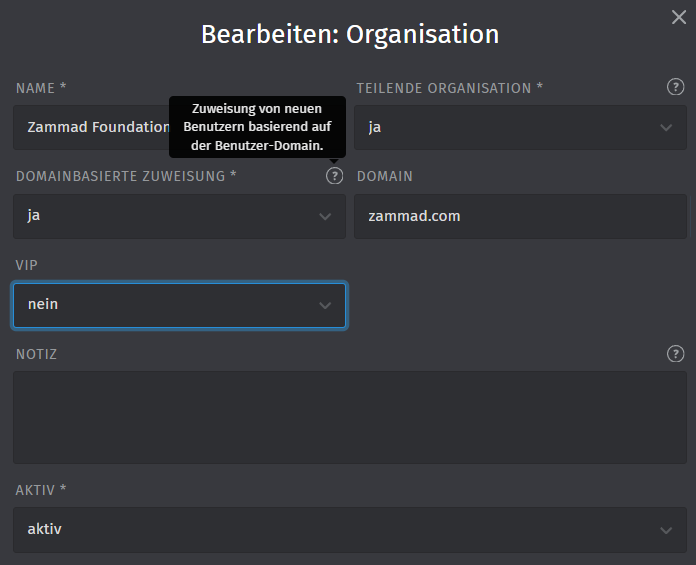
I have not yet seen any way to specify the organisation, e.g. via the LDAP adapter or a parameter. For example, all users from the LDAP connection xx belong to organisation 1, etc.
The Zammad attributes for LDAP do not provide the Organisation field either.
Are there any best practices for this case?