LDAP group role mappings are not saved

Infos:

  • Used Zammad version: zammad-6.2.0-1711375558.ce1240f3.centos8.x86_64
  • Used Zammad installation type: package
  • Operating system: AlmaLinux release 9.3 (Shamrock Pampas Cat)
  • Browser + version: Microsoft Edge Version 122.0.2365.92 (Offizielles Build) (64-Bit)

Expected behavior:

  • LDAP Group Role Mappings are saved.

Actual behavior:

  • LDAP Group Role Mappings are not saved.
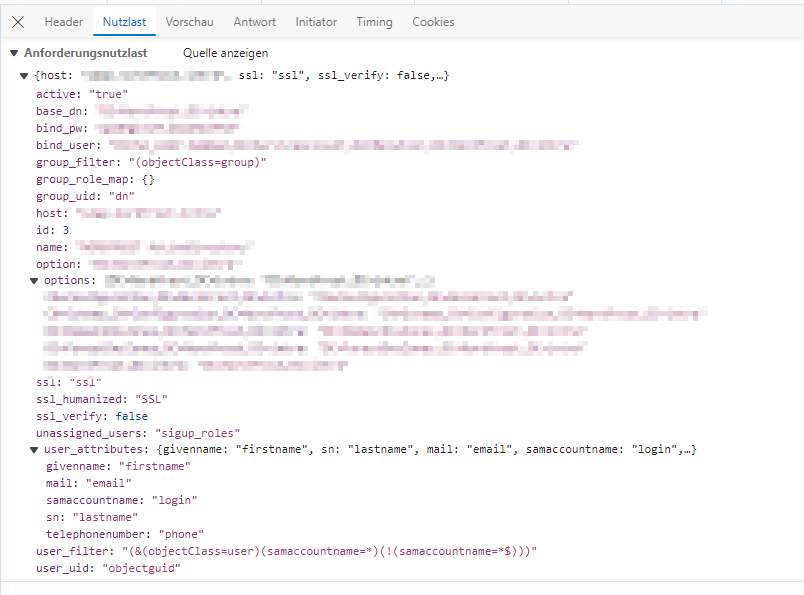
  • The group_role_map{} element is always empty as checked in the production.log file and in the browser debug window.
  • Next time we visit the LDAP configuration the mapping fields are all empty.

Steps to reproduce the behavior:

  • Add a LDAP integration with an Active Directory and add one or more group role mappings.

Hi there,
any chance to get some help with this? Currently we are unable to use Zammad with this issue.
Regards, Christian

But it’s saved without any error?

Can you check the browser network connection if the values are currently inside the request for changing the LDAP source?

Hi @dominikklein,

I already checked this and the group_role_map{} element is already empty in the request.

Regards, Christian

@dominikklein do you have any idea, what could be wrong here?

Difficult without debugging and any error in the console.

So the situation is that you can select some roles, but it’s not present in the request or? Did you already test if it’s the same inside a private session, to avoid client caching problems?

Maybe you can show some screenshots when this is possible?

Hi @dominikklein,

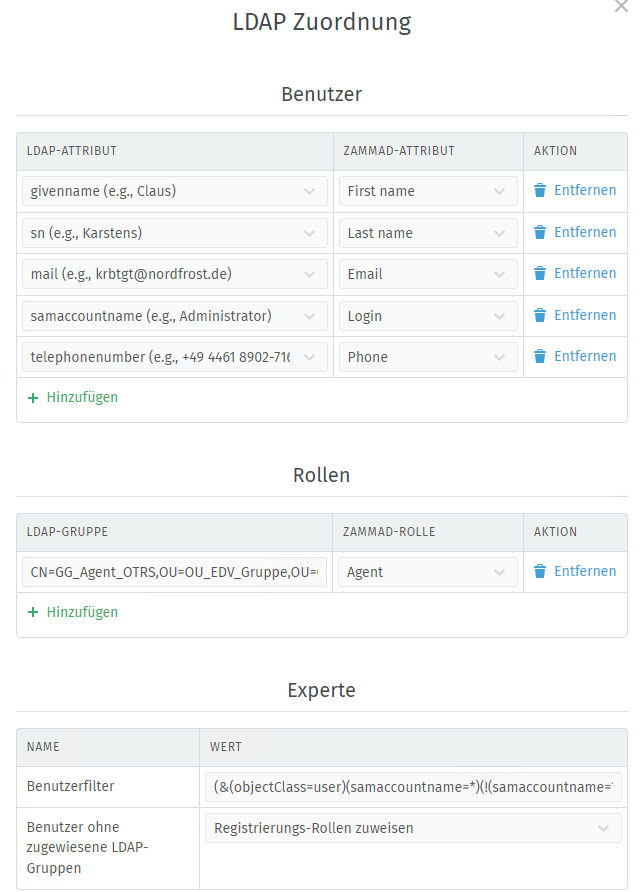
I took some screenshots in Microsoft Edge in the private mode with caching disabled.

I had to anonymize a lots of information in the request, but I think the relevant parts are visible.

How can I post the screenshots here, since I always get the message, that embedded items are not allowed?

Regards, Christian

Hi @cgarling. Now it should be possible to upload images for you.

@dominikklein

Zammad_LDAP_2

Hi @dominikklein,

do the screenshots help?

Regards, Christian

@cgarling please give our colleagues time. This is a free community without and guarantees. If you require urgent support, consider having a support contract.

Hello @MrGeneration,

I understand that this is a free community and that we are not entitled to support.

However, it is also the case that we are currently evaluating the replacement of our existing OTRS and Zammad is basically very interesting for this. But we also want to know exactly whether the product is suitable for us before we spend money on it. Unfortunately, the current problems are preventing these tests.

However, we will continue to wait and see.

Regards, Christian

Hi @cgarling

what is visible is that the value of the field seems to be removed/not collected for the submit.

Without debugging it looks very difficult to me, to find the problem.

I will later or next week take a look at this part of the code if I see something that could lead to this situation.

Thanks, I will wait for your response.

Hi @dominikklein,

I just wanted to ask if there are any new findings.

Regards, Christian

Sorry, to many things on the table.

Maybe in the meanwhile one additional question. Did you already test it with another LDAP server? Is it the same problem? Or also with an new installation of Zammad?

Hi @dominikklein,

we use our central ActiveDirectory for the LDAP connection. We therefore do not have another comparable system at our disposal. However, we run a whole range of applications which all work together with it without any problems.

We had already tried a new installation, but with the same result.

Regards, Christian

Hi there
Same issue here, although running another Zammad version (5.4.1).
I found a workaround for this. You can define the mappings in the Zammad Rails Console like this:

Open console with
zammad run rails c

# First get a list of role id/name
Role.order(:id).pluck(:id, :name)

Adjust the LDAP configuration with
# Load config
l = LdapSource.first

# List current group role mapping (should be empty now)
 l.preferences["group_role_map"]

# Configure the mapping (adjust group dn and role id to your needs)
 l.preferences["group_role_map"] = { "cn=groupname,ou=groups,dc=..." => ["3"] }

# Save configuration
l.save

You can define as many group <> role maps as you need.
Hope this helps until the editing in the GUI is fixed.
Regards,
Patrick

2 Likes

@pmarch Short question, it it for you also an active directory server which you want to connect?

Yes this is also an Active Directory server.