Used Zammad version: 6.5.0-1752741023.3e56b2a4.noble
Used Zammad installation type: package
Operating system: Ubuntu 24.04 LTS
Browser + version: Microsoft Edge version 138.0.3351.95 with Windows 11
Expected behavior:
Successfully follow the admin documentation to connect a Microsoft 365 account via Graph API to Zammad.
Actual behavior:
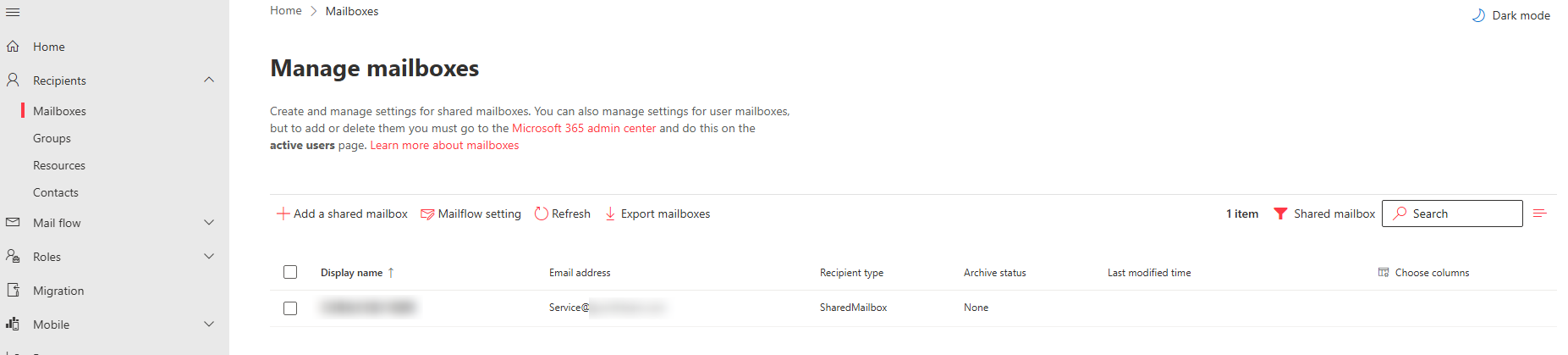
Blocked when “Add Account” (shared mailbox)
Steps to reproduce the behavior:
In the admin settings and click “Add Account” in Microsoft 365 Graph Email Accounts Setting.
Redirect to OAuth Flow login with my M365 Account with permission to shared M365 group.
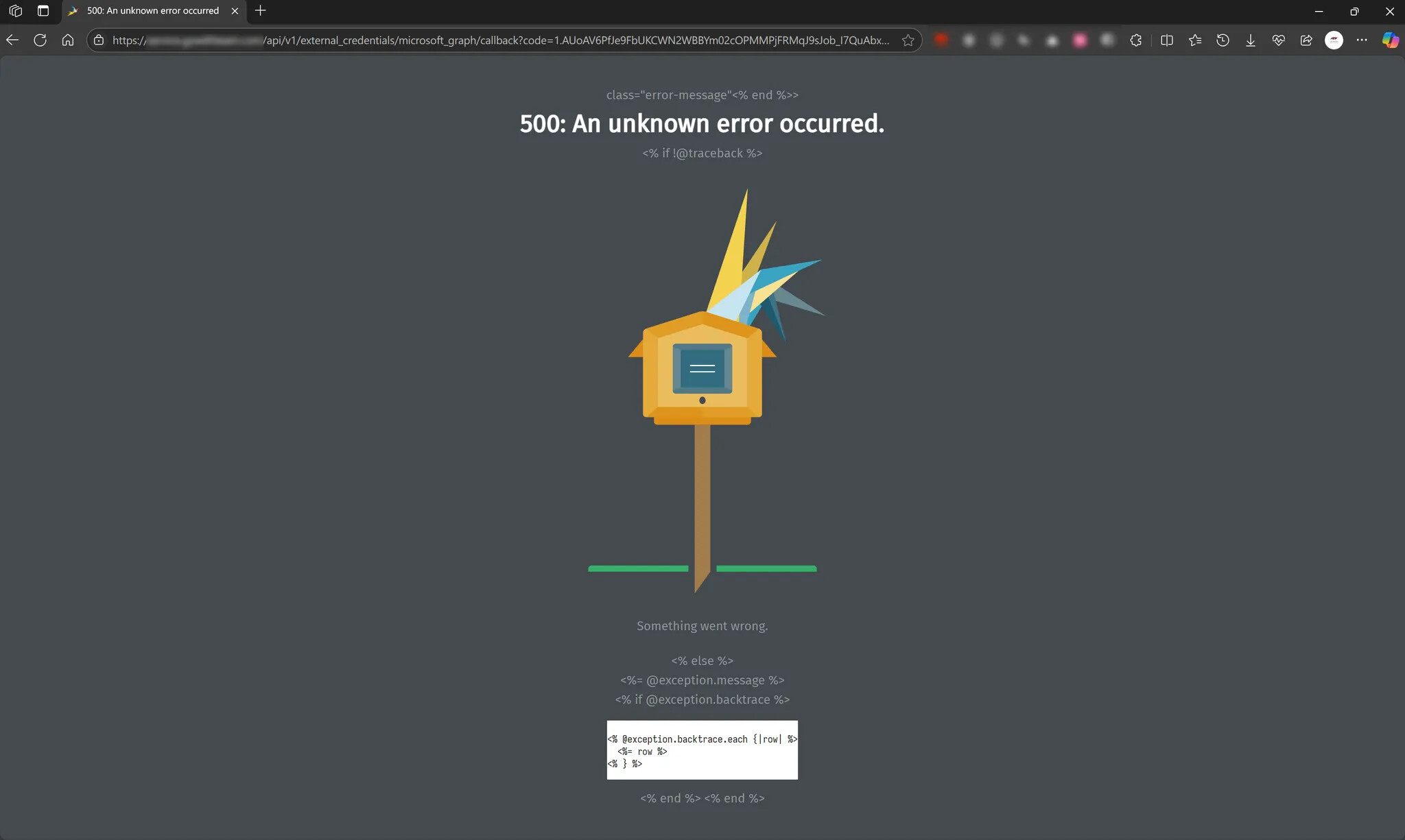
After login process and redirect to zammad callback URL and show error code with no more detail.
My Question
I’m currently trying to integrate a Microsoft 365 shared mailbox into Zammad using the Microsoft Graph API method, following the official documentation and best practices. However, after completing the OAuth authorization flow via the “Add Account” interface, I consistently receive the following error:
Checked my FQDN under Settings > System > Fully Qualified Domain Name
==> I’ve successfully config Zammad’s Microsoft connection allows me with M365 accounts to login
The reason I previously explored connecting to a Shared Mailbox via Microsoft 365 Graph API is because I’m trying to find a way to set up an Inbound Mail Channel on a self-hosted server . The goal is to receive customer emails and use them as the basis for automatically creating support tickets.
I’ve encountered some challenges along the way, so I wanted to ask: Are there any alternative solutions or approaches that might help achieve this goal?
Any suggestions or shared experiences would be greatly appreciated. Thanks in advance!
Below is the all log that I try to create shared mail box account in Microsoft 365 Graph Email
I replaced our company’s email domain with ‘xxxx’ for de-identification purposes
I, [2025-07-24T17:10:05.124005#1149-1131460]  INFO -- : Completed 200 OK in 143ms (Views: 63.0ms | ActiveRecord: 20.9ms (55 queries, 28 cached) | GC: 8.6ms)
I, [2025-07-24T17:10:12.891841#1149-1012800]  INFO -- : Started GET "/api/v1/external_credentials/microsoft_graph/link_account?shared_mailbox=service%40xxxx.com" for 61.227.12.211 at 2025-07-24 17:10:12 +0800
I, [2025-07-24T17:10:12.896489#1149-1012800]  INFO -- : Processing by ExternalCredentialsController#link_account as HTML
I, [2025-07-24T17:10:12.897639#1149-1012800]  INFO -- :   Parameters: {"shared_mailbox"=>"service@xxxx.com", "provider"=>"microsoft_graph"}
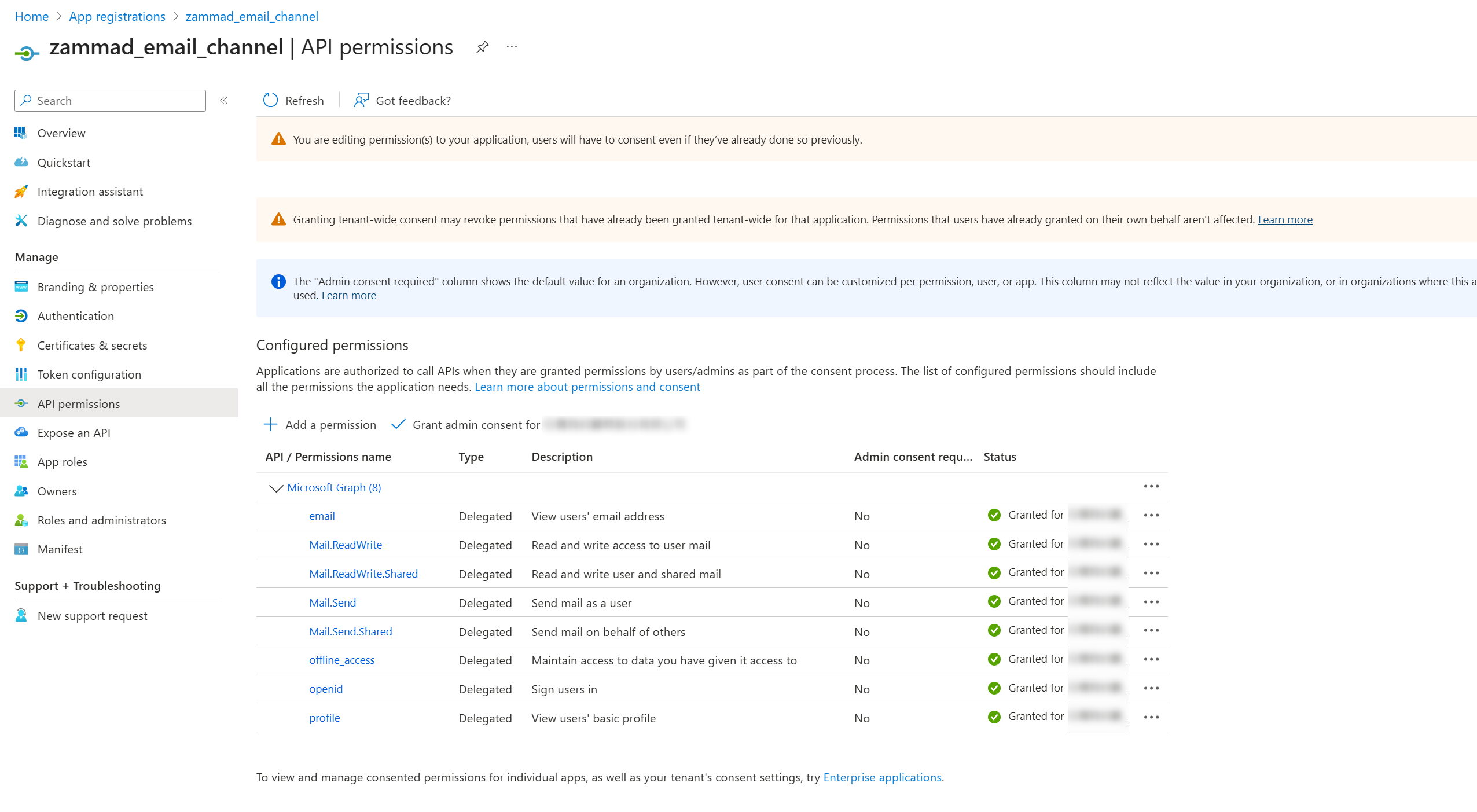
I, [2025-07-24T17:10:12.905934#1149-1012800]  INFO -- : Redirected to https://login.microsoftonline.com/common/oauth2/v2.0/authorize?access_type=offline&client_id=c33c0e67-8c0f-4c54-a89f-6c2686ff23b4&prompt=login&redirect_uri=https%3A%2F%2Fservice.xxxx.com%2Fapi%2Fv1%2Fexternal_credentials%2Fmicrosoft_graph%2Fcallback&response_type=code&scope=offline_access+openid+profile+email+mail.readwrite+mail.readwrite.shared+mail.send+mail.send.shared
I, [2025-07-24T17:10:12.906778#1149-1012800]  INFO -- : Completed 302 Found in 9ms (ActiveRecord: 1.0ms (13 queries, 6 cached) | GC: 0.4ms)
I, [2025-07-24T17:10:13.844603#1153-1013220]  INFO -- : Closing session client (368480) thread
I believe that’s the case, because the reason I initially set up Microsoft 365 Graph Email was to use it as a single channel for receiving emails, allowing customers to create tickets by sending messages to the O365 shared mailbox.
In fact, I didn’t see any error messages. Even when there were messages, they were unidentifiable 500 errors, which is why I reached out for help. If you have any way to teach me how to look up more detailed error information, I’d really appreciate it
I’d like to provide a quick update on this unknown error and close the issue.
After repeated testing, I found that the problem seems to be related to the fact that my authentication account has O365 MFA enabled.
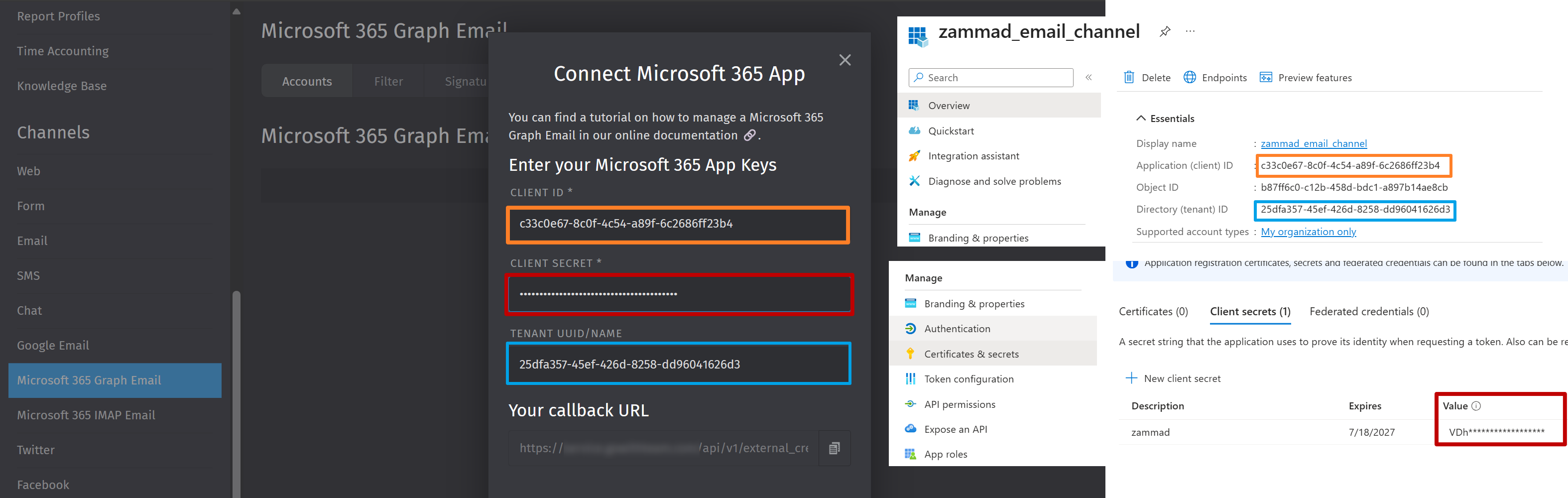
The configuration mentioned in the Zammad documentation is correct, but I recommend using an admin account without MFA enabled when setting up authentication for the shared mailbox.