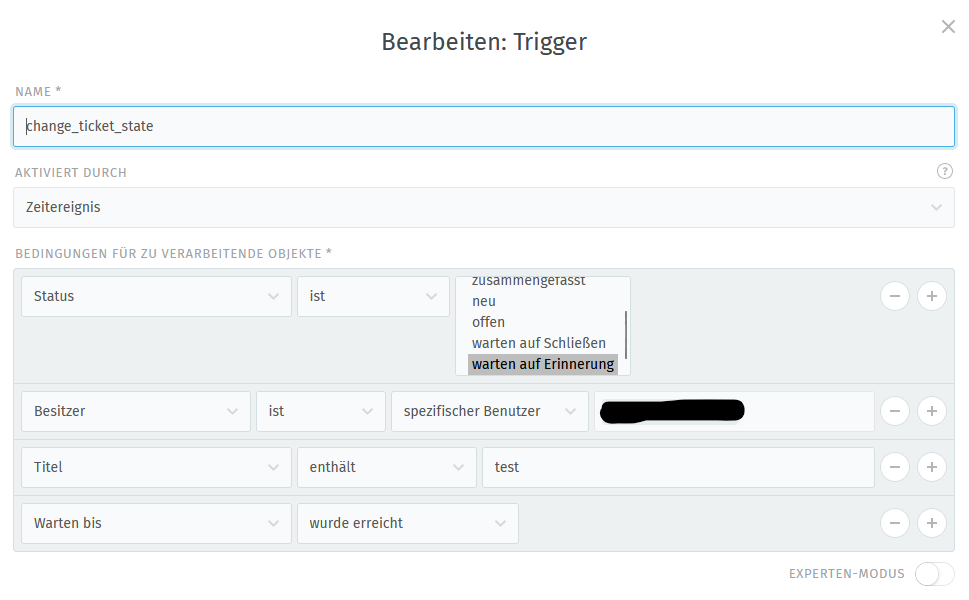
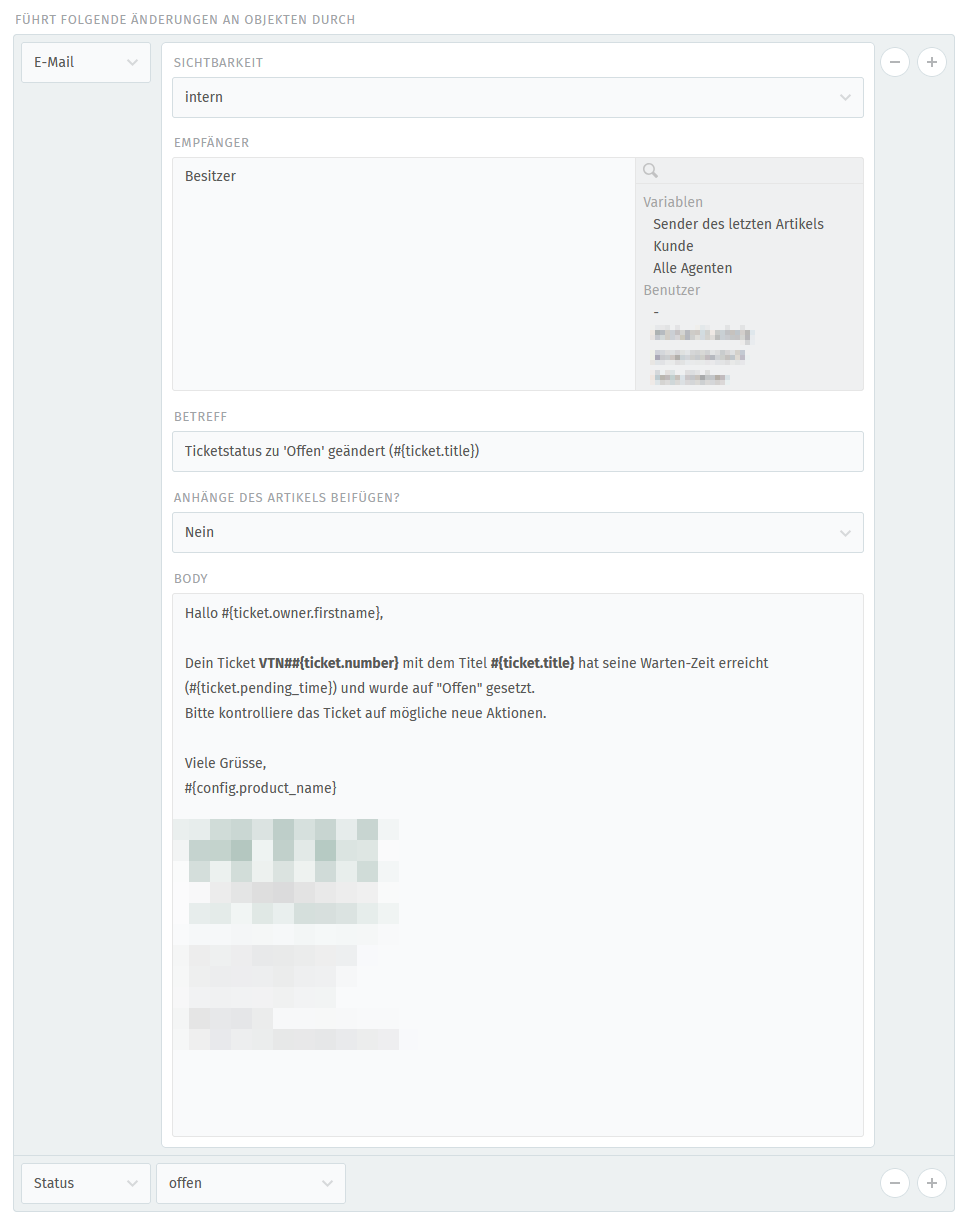
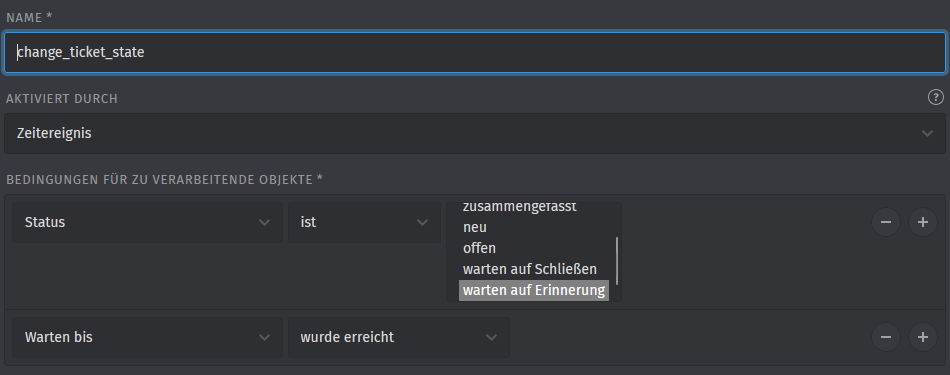
trying to trigger an event (when waiting time has been reached). Seems that I don’t get the logic behind or the trigger simply doesn’t do what it’s supposed to.
Zammad Version is 6.5.0-1750055263.dd6ae287.focal (ubu 20.04).
Screenshot of trigger with some additional checks to not touch the active, non-testing tickets.
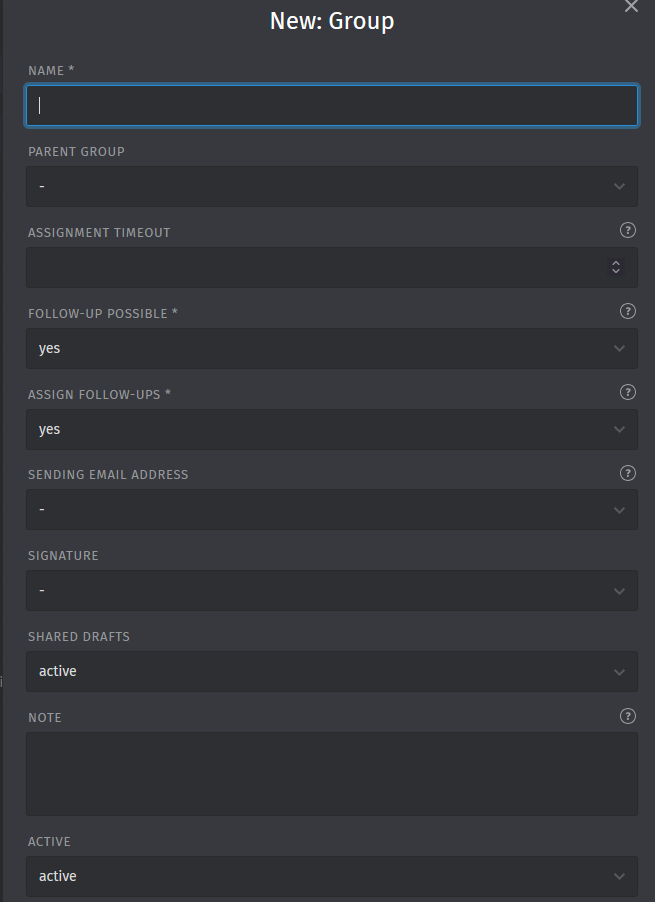
okay, very good, thanks for your time testing this. Can you explain what you mean by saying setting a sending mail address for the group?
What group? And do I have to set a sending mail address? Where can I do that?
The overall mail configuration is okay, as Zammad receives and sends out mails regulary.
It depends on which group this owner is assigned to. Look up the group and see if there’s a sending mail address set. Or just remove the sending mail part from your trigger config and see if the state gets changed.
The user is part of all (5) groups present in zammad. All groups are active. In every group the user has full rights.
All groups have the same outgoing mail address set. There is only one outgoing mail address in our zammad system.
I think i made a mistake there. Users aren’t assigned to groups. The ticket is assigned to a group. But if you made sure that a sending email address is set for it, then the only other possibility in my opinion is that your conditions don’t match the ticket.
Hello again, the trigger seems to only get applied once per ticket.
It works, but if you put the ticket on-hold (waiting for recall) again, the trigger will not access that ticket again.
Is this my fault? What am I doing wrong?
Thanks a bunch for all your feedback.
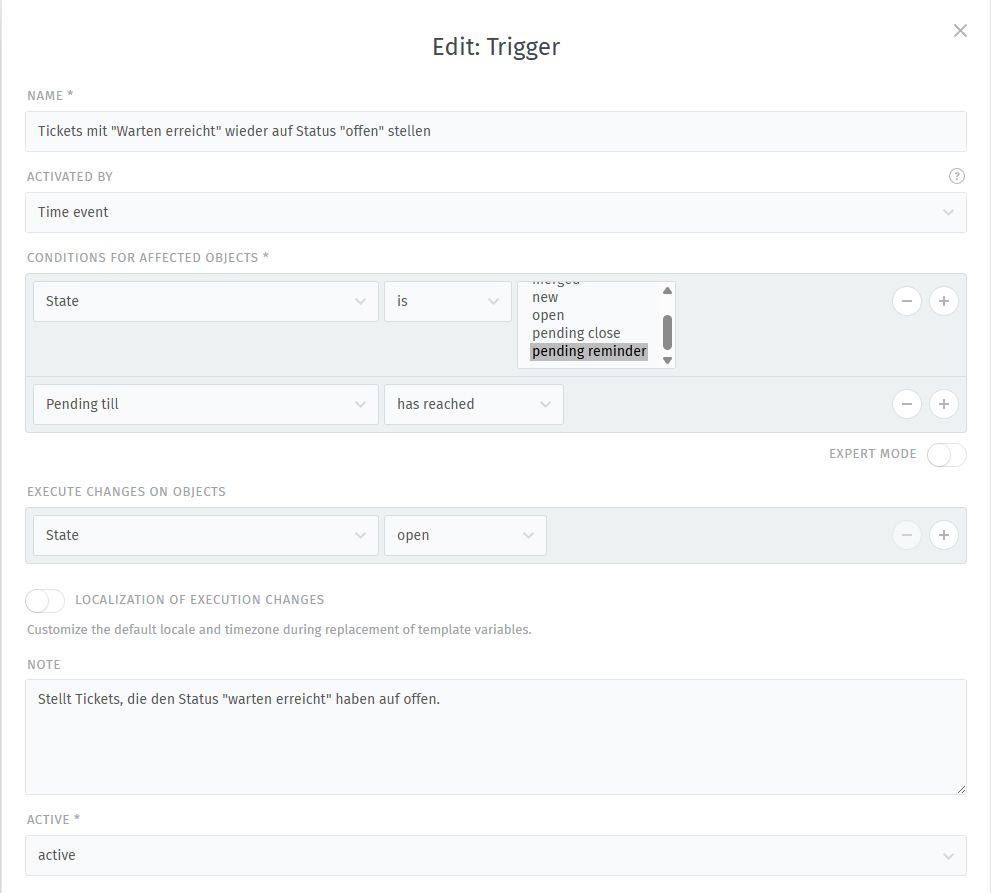
I changed my trigger to reflect your settings, so now I have to conditions as shown in your screenshot (state = pending reminder, pending till = open) and three actions (write note, create mail, state = open).
This works, as long as the ticket has only been touched once by the trigger.
If you work on the ticket and set it back to pending reminder, when the time is over the trigger won’t get executed again.
Yes, that is why I could see some tickets being re-opened by the trigger.
The note in the ticket view is displayed, the mail is created and sent out normally, the status is changed to “open”.
Works well.
If the ticket gets another pending reminder at a later time again, the trigger will not touch that (previously triggered) ticket.
A little late for an update, but well, here we go.
The trigger conditions are now what @Claud11 has proposed and it works very well.
It writes a note into the ticket and sends out a mail to the ticket owner.
Thanks a lot for the help!
This would be really useful for keeping ticket workflows clean. Automatically reopening tickets once the waiting time expires helps avoid situations where issues are forgotten or left in limbo. It also makes expectations clearer for both support agents and customers, especially in cases where follow-ups are time-sensitive.
This approach makes a lot of sense — automatically reopening tickets when the waiting time is exceeded can really help keep things moving and avoid issues falling through the cracks. Clear status transitions and timely updates are key in any system that manages states, whether it’s support tickets or tracking deliveries. On tools like locateparcels, seeing accurate, real‑time status changes helps users stay informed and reduces uncertainty, which is similar to what you’re aiming for here in Zammad.