Thanks for your revert.
Ok, I did try this by adding a tag on a Trigger after escalation but unfortunately it did not have the desired effect. I changed this into a scheduler and this works well - not sure why though, the filters are all same as the Trigger. But thanks, I did manage to get a simple report that gives me tickets that have breached SLA at least once with a tag.
I did run into another peculiar issue though - as part of scheduler, I actioned it to create an internal “note” to get keep track of escalation times (without going into history manually) but it prints the words “#{ticket.escalation_at} & #{ticket.first_response_at}” without getting the actual value.
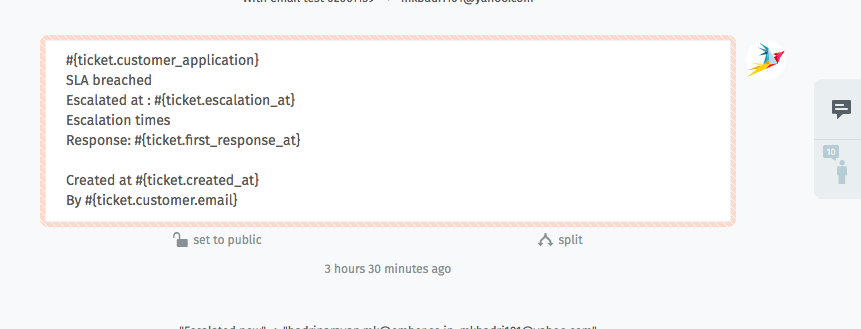
– seems like a bug to me, this same template works perfectly as an “email”, it has all the values correctly replaced
In fact I wanted to put these values (and also update_escalation, close_escalation) into an object so I could export and sort easily, is this possible from the UI?
By doing all this I hope to be able to check for the type of escalation - response, update or resolution and the date of escalation - eventually write something like a “SLA met vs breached report”