Used Zammad version: 6.5.1-1758529346.a4e079f4.noble
Used Zammad installation type: package (systemd service zammad.service)
Operating system: Ubuntu 24.04.3 LTS
Browser + version: Chrome (latest)
VM Details: 4vCPU - 16GB RAM - 200GB DISK
Expected behavior:
Zendesk import should start and complete successfully, without backend/database errors.
Actual behavior:
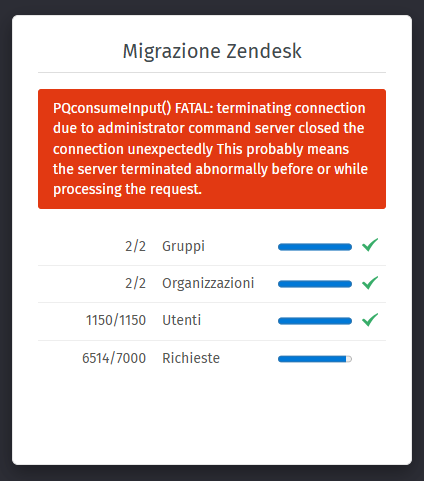
When starting the Zendesk import from the web interface, Zammad shows: PQconsumeInput() FATAL: terminating connection due to administrator command – server closed the connection unexpectedly. This probably means the server terminated abnormally before or while processing the request.
I followed exactly what the guide says for configuring PostgreSQL, including increasing the maximum number of connections. However, after applying the changes and restarting the installation from scratch, I’m now getting this error after about 4k tickets:
PQconsumeInput() FATAL: terminating connection due to administrator command
server closed the connection unexpectedly
This probably means the server terminated abnormally before or while processing the request.
The error message indicates that the database server is shut down. “administrator command”
This doesn’t have to be a planned stop or restart of your database server, but can also be caused due to memory reaping or automated, unattended updates. As you’re using Ubuntu, the latter is definitively a high chance.