Hi guys,
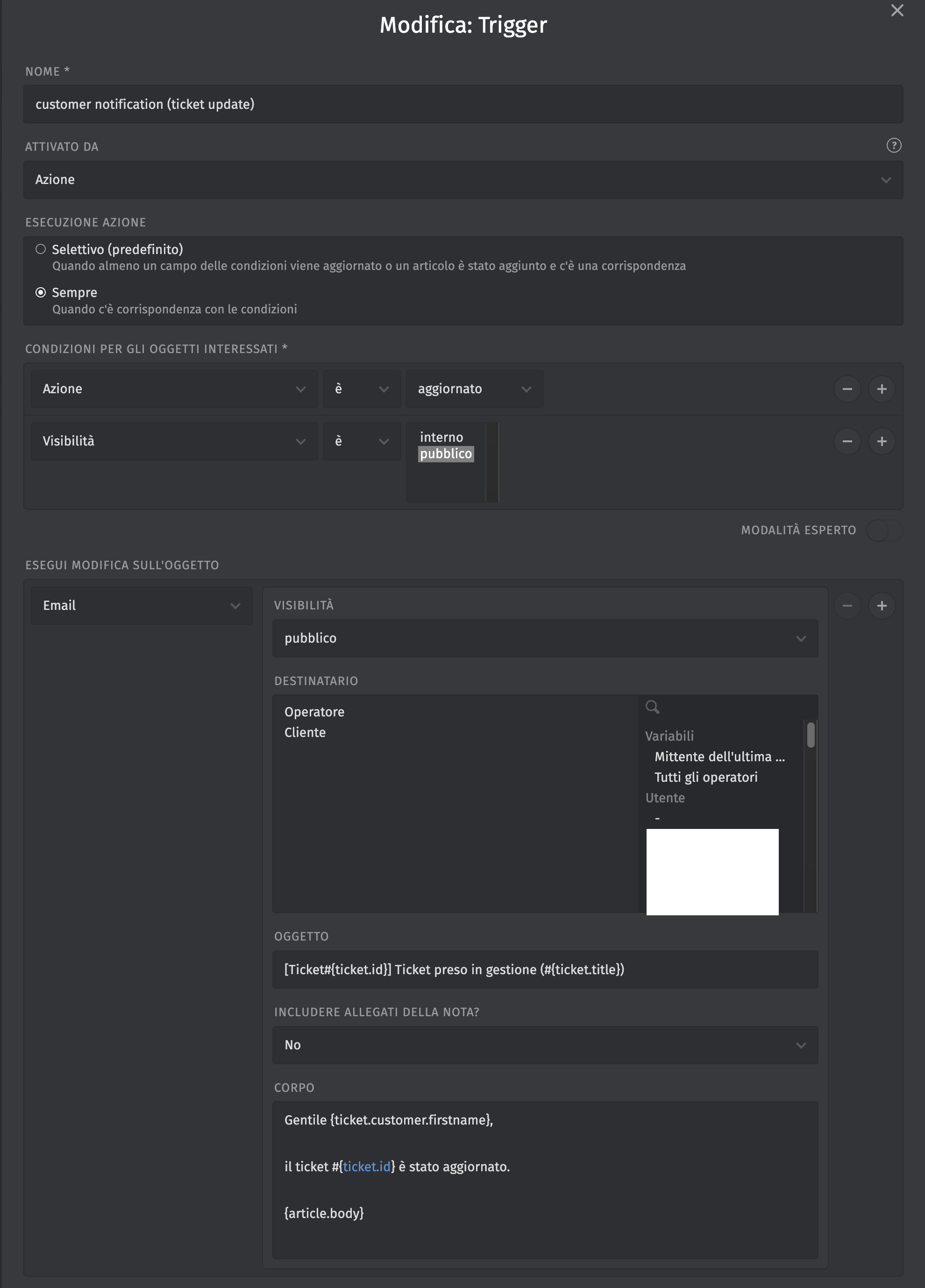
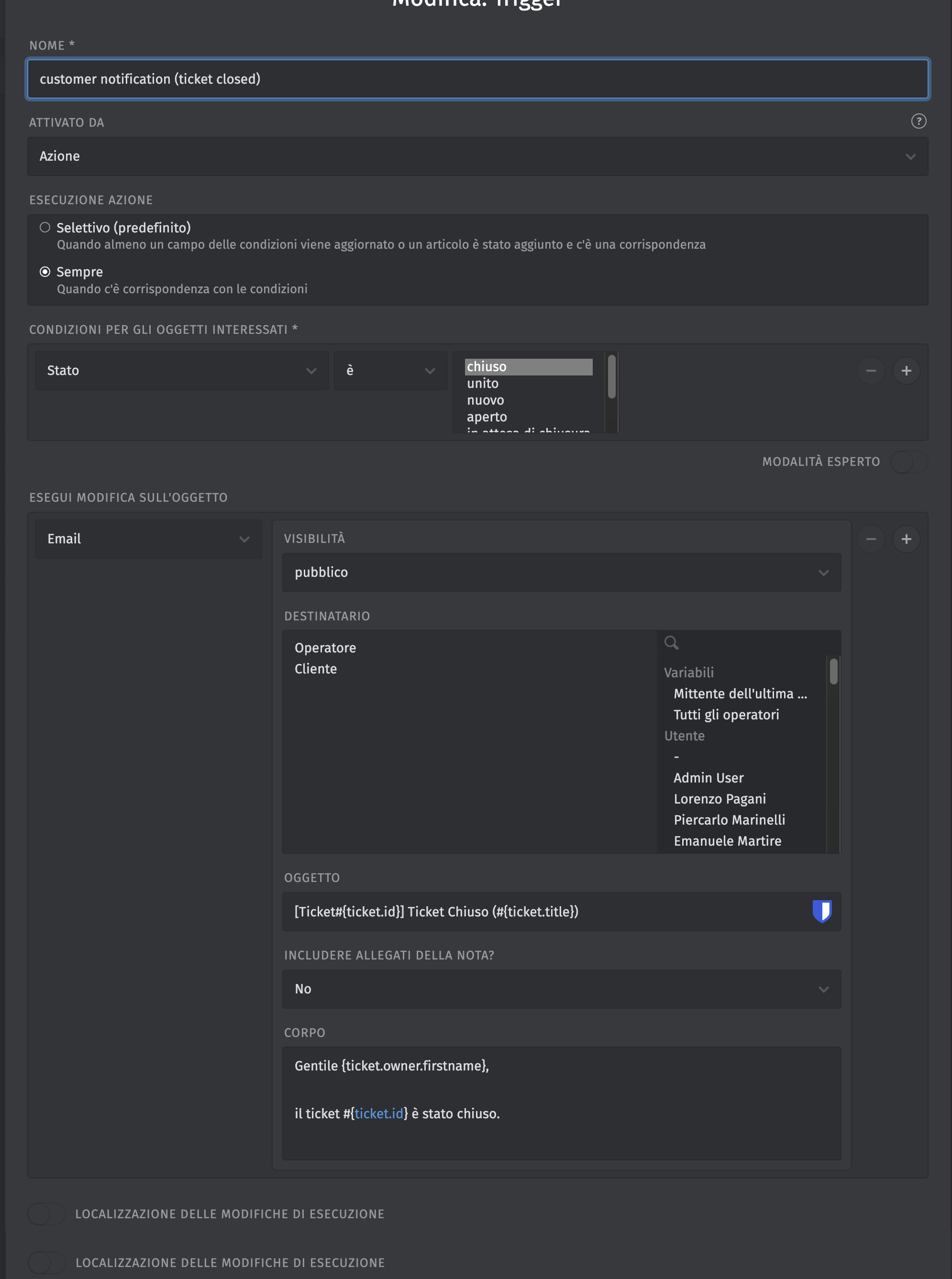
I’m trying to configure email notifications to users when a ticket is updated and closed.
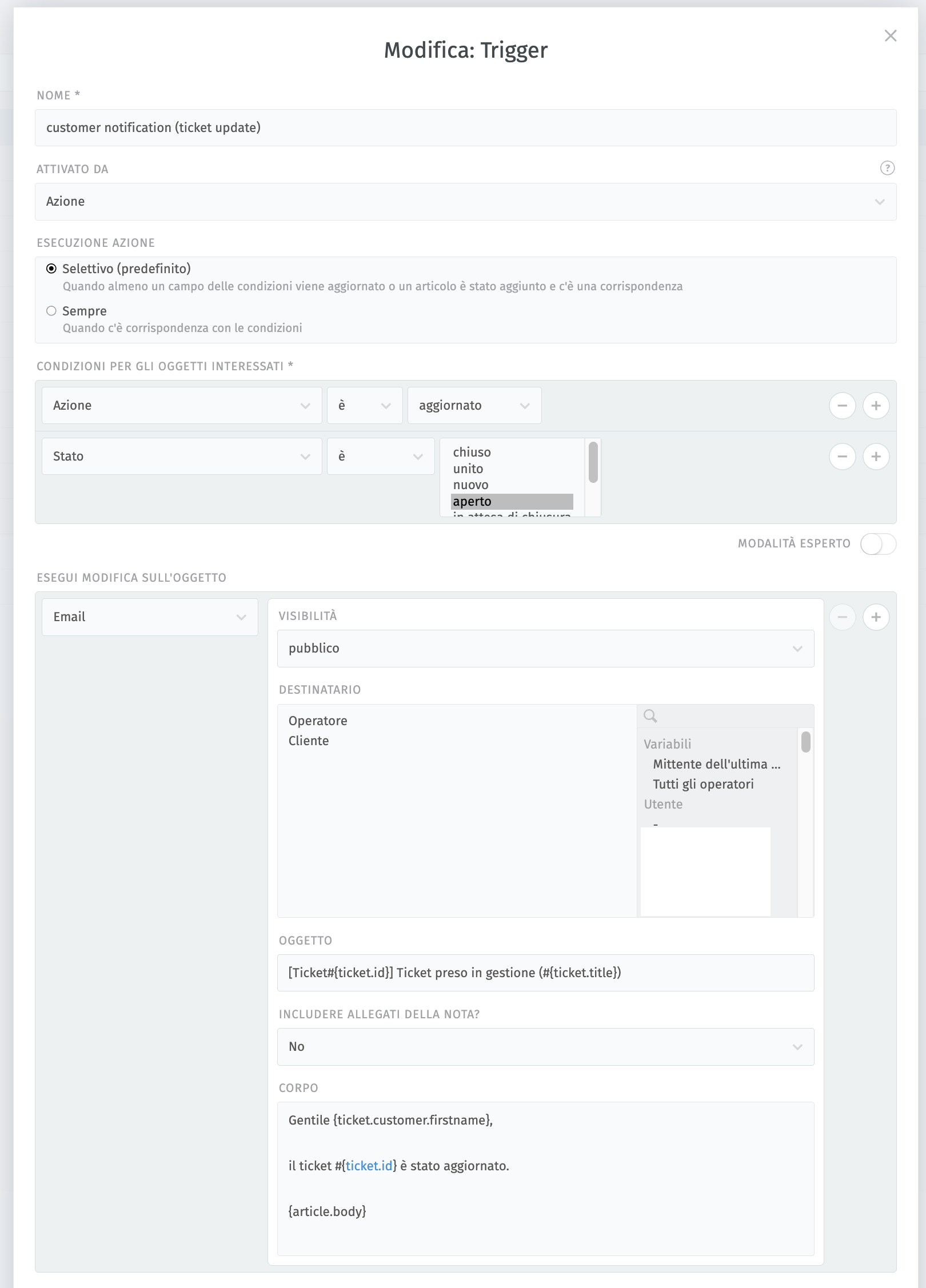
I’ve created the triggers, but they don’t seem to work. Any ideas?
Emails are working in general: agents do receive emails (only for ticket creation), and everyone receives login emails.
I’m not sure what else I should check at this point.
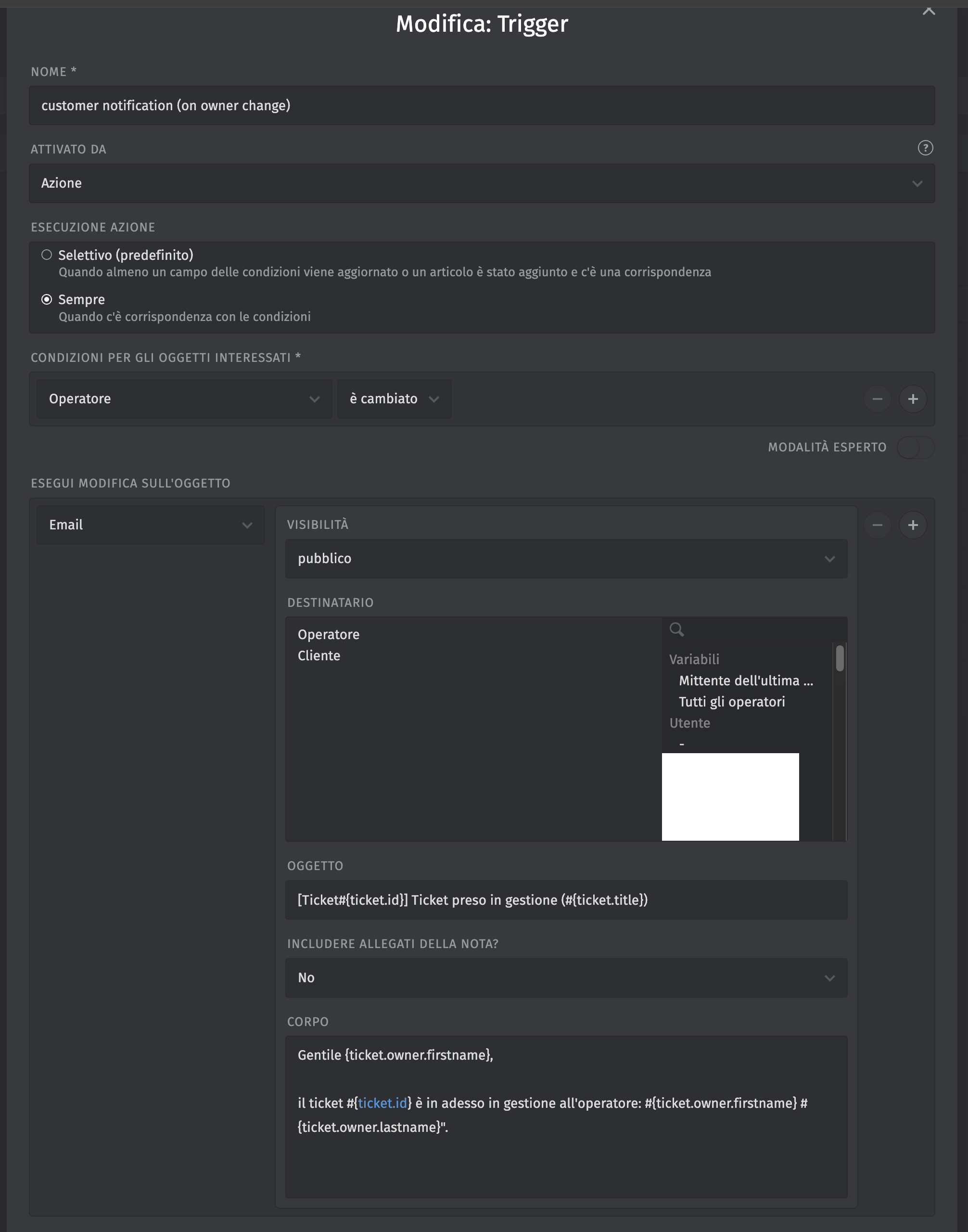
i’m using all embedded role (my users are “employees”) and operators are “help desk operators”, but mail to end-user doesn’t start… and trigger seems correct
If this system is logic:
customer = who has opened the ticket
operator = who has worked and managed the ticket
but this trigger sends email only to the operator (when customer update the ticket) and not vice versa:
For instance, also “auto-reply to new ticket” is not working. Only mails that i’m received is the new login (and update to the agents), so the email server is working..
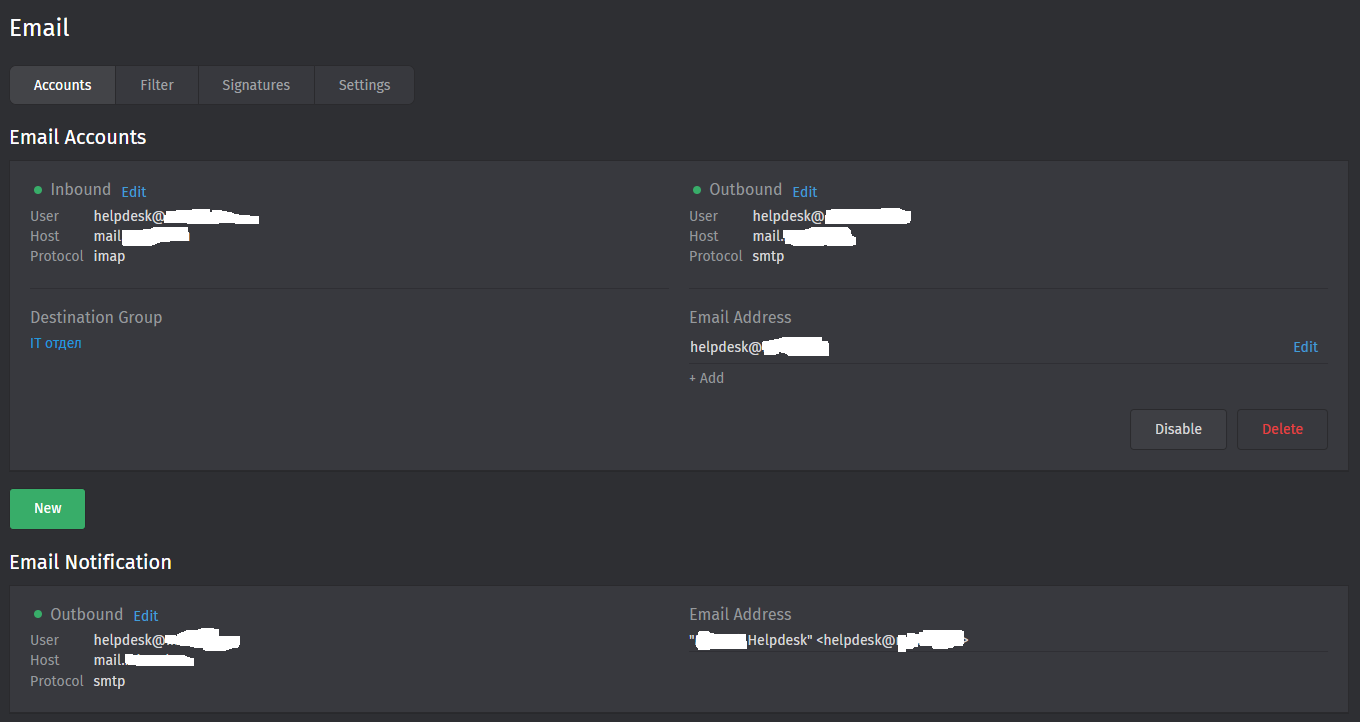
Can be related to the fact that i’ve only email for notifcation and not an email accont? Email account is only to create ticket from an email, or is also used for this type of “notification”?
Trigger based emails rely ob the configured email address of the affected group and thus require email accounts. So no, notification channels are not enough.
I‘d like to encourage reading the documentation, because theae kind of things are mentioned there.
Ok i’ve tried, but doesn’t seem to work.. i’ve followed the documentation to use M365 Graph integration to attach a shared mailbox, but always got this error:
The specified object was not found in the store., Default folder Root not found. (ErrorItemNotFound)
Login over Outlook Web (with the user provided) and opening the shared mailbox works, so it’s not a problem of delegate permission on EXO.
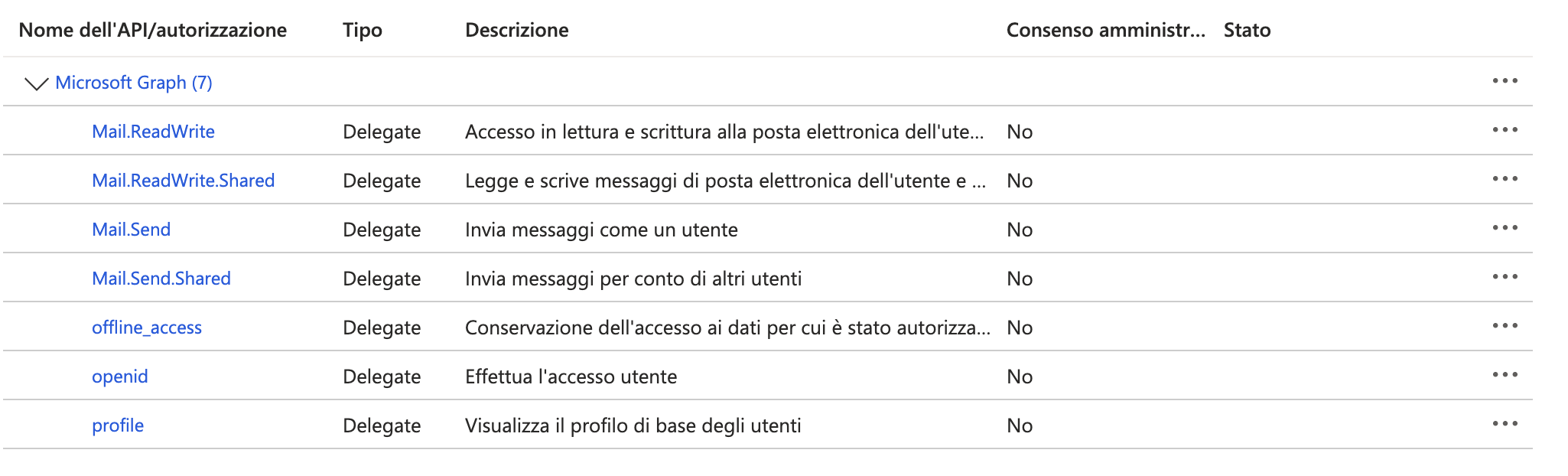
This is the app configuration for the email channel, there is something missing as permission? I’ve also try to enable global trust on all permission, but it doesn’t change:
EDIT: looks like it tries to access shared mailbox using “admin” account instead of “user account”.. documentation is not clear… anyway for the moment i’ve configured “root” account of the mailbox (chainging only the “from” address) but notification to customer are not working, only to agent.. but looks like it’s using the normal “email” notification channel (the one that has only SMTP). Do I need to remove the normal “email” to use Graph for ALL notification? That’s not clear…
Why make these notifications very complex? This stuff is not intuitive..