Used Zammad version: 3.1.x
Used Zammad installation source: UCS App Center(Docker)
Operating system: Univention Corporate Server(Debian)
Browser + version: Google Chrome Version 79.0.3945.130
E-mail is received after customer opens ticket
E-mail is NOT received after customer opens ticket
Download and install Zammad via the UCS App Center
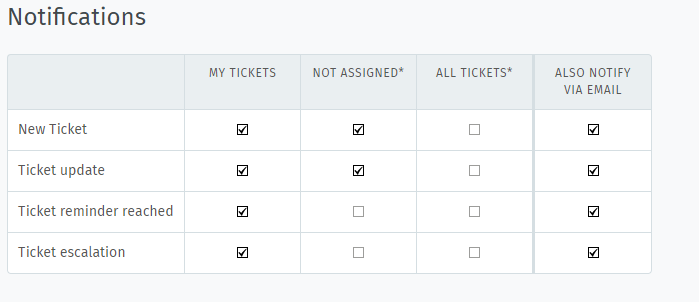
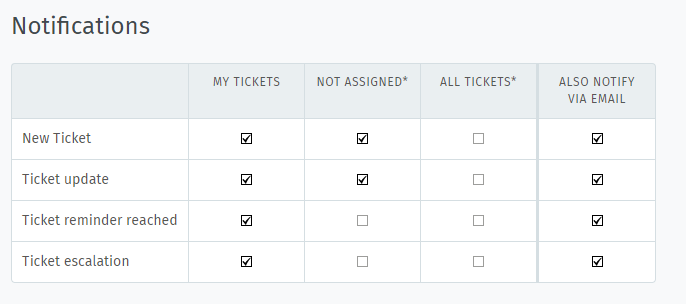
Go to profile settings → notifications → tick “also notify via email” at “new ticket” section
Is there other settings that are necessary?
I guess you didn’t change the MTA settings from sendmail to SMTP (mandatory).https://docs.zammad.org/en/latest/install/univention.html
You can change the notification setting withint he email channel as well.
See:
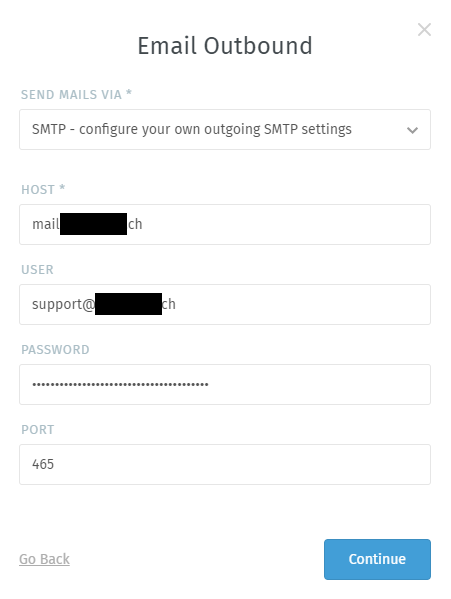
Our email outbound settings are as follows:
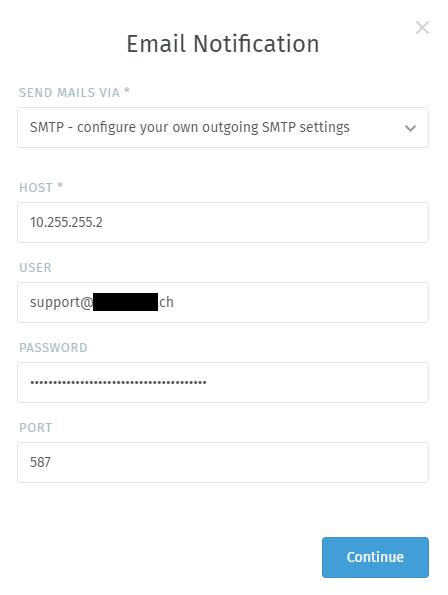
And our email notification settings:
The IP written under the host leads to the mail server written on the previous picture.
Do your agents happen to have disabled the agent notifications within their profile?https://user-docs.zammad.org/en/latest/extras/profile-and-settings.html
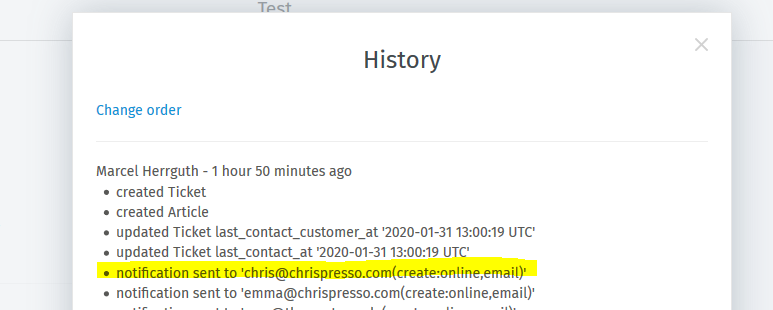
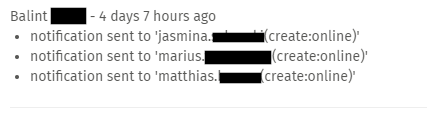
You can also check that via the tickets history, it will tell you if it send notifications (online / email) there. Looks similar to this:
I am an agent myself and I have these settings in my “Notifications” tab:
Ticket history:
The difference, between your history and my history is the email part, if I’m correct, which is the problem.
l.ziegelmann:
Ticket history:
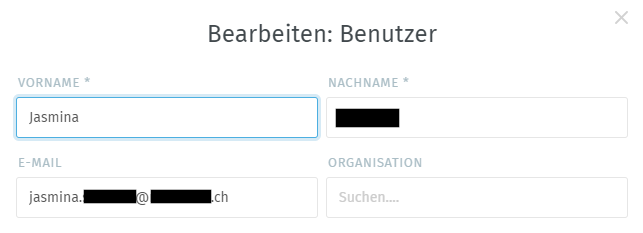
Welp, your Agent accounts to have mail addresses right? Because it doesn’t look like it.
Yes, they do:
Here looking at a user, which is an agent. An e-mail is set, which is correct and working.
I am sure that those three affected users did disable the mail notifications.
Also, ensure your user has “FULL” rights on the correspodending group.