- Used Zammad version: 7.0
- Used Zammad installation type: package
- Operating system: Ubuntu
- Webserver: Apache
Hi,
I’m trying to deploy our zammad installation via the azure app proxy outside of our network. It’s working as expected, including pre-authentication through entra-id conditional access policies and kerberos single-sign-on.
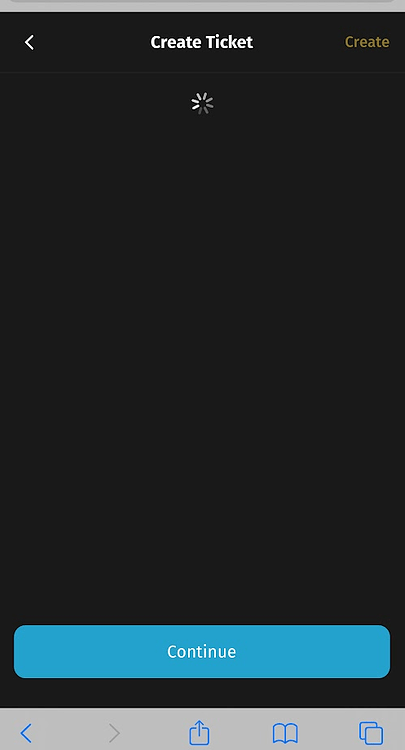
The only thing not working is opening and creating a ticket in the mobile view. This results in a never ending spinning circle.
Opening or creating a ticket in the mobile view inside our network is working as expected. It’s also working over the azure app proxy if I switch to the desktop view.
In the production log you can see this error:
INFO – : Started GET “/cable” for 10.10.X.X at 2026-04-09 16:41:55 +0200 (our internal IP from the azure app proxy)
INFO – : Started GET “/cable” [WebSocket] for 93.104.X.X at 2026-04-09 16:41:55 +0200 (the IP from the Client connecting through the azure app proxy)
ERROR – : Request origin not allowed:
ERROR – : Failed to upgrade to WebSocket (REQUEST_METHOD: GET, HTTP_CONNECTION: Upgrade, HTTP_UPGRADE: websocket)
INFO – : Finished “/cable” [WebSocket] for 93.104.X.X at 2026-04-09 16:41:55 +0200
So it seems, that the problem is the origin of the request. It seems to be empty?
Looking at the allowed request origins, everything seems ok:
zammad run rails r “pp Rails.application.config.action_cable.allowed_request_origins”
[/https?://localhost:\d+/, “https://fqdn.example.com”]
The app proxy runs under the same FQDN as zammad internal (split-DNS).
As I said, this problem only occurs in the mobile view over the azure app proxy when viewing or creating tickets. Everything else is working, including the mobile view in the internal network and the desktop view over the azure app proxy.
Thanks for your help!
Did you solve this?
I have the exact same problem using the docker repository setup, combined with Azure application proxy + SAML.
Sadly not. I still hope that someone from the development team has a idea how to fix this.
I think i found a workaround. I’ll try to memorize, let me know if you fail somewhere.
-
Assuming your using the Zammad github repo: fork zammad-docker-compose to your own github.
-
Create file scenarios/origin-fix-mobile.yml
-
Add the following contents:
services:
  zammad-nginx:
    volumes:
      - /data/docker/zammad/nginx/zammad.conf:/opt/zammad/contrib/nginx/zammad.conf:ro
-
SSH into your docker host.
-
copy zammad.conf from a working/vanilla zammad nginx:
sudo docker exec -it zammad-zammad-nginx-1 sh -lc 'cat contrib/nginx/zammad.conf' > /data/docker/zammad/nginx/zammad.conf
(the location we referenced in step 3, create folder or change at will)
-
sudo nano /data/docker/zammad/nginx/zammad.conf
-
Above server {, add this with your appproxy url
map $http_origin $zammad_origin {
  default $http_origin;
  ""      "https://xxx.msappproxy.net";
}
-
look for location /cable { and add this:
proxy_set_header Origin $zammad_origin;
-
save it
-
head over to docker stack git settings
-
additional path → add scenarios/origin-fix-mobile.yml
-
env variables, add these (not sure if they are all required)
NGINX_SERVER_SCHEME → https
NGINX_SERVER_NAME → your appproxy fqdn
ZAMMAD_FQDN → your appproxy fqdn
-
redeploy and repull image
-
your changes should be visible here, and the problem should be solved
sudo docker exec -it zammad-zammad-nginx-1 sh -lc 'cat contrib/nginx/zammad.conf'
This checks if the default origin is empty, and if it is, adds our origin to the header. This shouldn’t be a problem since we’re behind an appproxy that does authentication (our webserver isn’t exposed directly to the evil internet). Make sure your app proxy is doing pre authentication.
Disclaimer i’m no expert so do your own research. If dev is watching, maybe there’s an easier way to add this to the default repo as a scenario yml for all us Azure Application Proxy users?
Thanks for your work!
I‘m running a different setup. I‘m using a Linux VM with a direct package install, not a docker image. The second difference is the Kerberos Auth. This is not working with nginx, so I’m just using apache without nginx.
But I will look deeper into your workaround. Probably I’m able to adapt this to my config.
Ah ok. The problem is probably in the Azure app proxy. You have the same empty “ Request origin not allowed:” so some bits should help.
Hi,
with zammad 7.1.2 the problem still exists. But the behavior changed with 7.1.2.
An agent is now able to open new ticket. But he is not able to answer to a ticket in the mobile view (Desktop View is working without problems).
If a customer wants to open a ticket in the mobile view, the yellow button “create ticket” is not working at all (nothing happens if you click).
In the logs there is still this error:
ERROR – : Request origin not allowed:
ERROR – : Failed to upgrade to WebSocket (REQUEST_METHOD: GET, HTTP_CONNECTION: Upgrade, HTTP_UPGRADE: websocket)
Any ideas on how to allow all origins in apache? Or to add the Azure App Proxy origin like Knuppel1983 did it for nginx (This would be an internal IP or some Microsoft CNAME (https://xxx.msappproxy.net).
Thanks!
The Problem is, that you‘re trying to use several Domains for Zammad. That is not supported. You have to use the exact same domain, no matter if internal or external.
I am using the same domain for internal and external. It’s always “support.domain.com”. You can configure the azure app proxy to use a custom domain. But in the external DNS the domain “support.domain.com” is configured as a cname for “https://support.tenant.msappproxy.net”. But this is only for DNS resolving.
It is actually working for the desktop view including proper M365 pre-authentication. Only the mobile view is not working as the “origin” seems to be empty at the end.
I found a solution for Apache and a classic packet manager installation under ubuntu.
The Azure Application Proxy is deleting the origin from the header (as you can see in the error message). So the only working solution is disabling the request forgery protection.
To make this persistent after upgrades, you have to create a custom rails initializer.
- Create a new file:
sudo nano /opt/zammad/config/initializers/custom_action_cable.rb
- Add this to the file:
Rails.application.config.action_cable.disable_request_forgery_protection = true
- Set the proper permission for the new file:
sudo chown zammad:zammad /opt/zammad/config/initializers/custom_action_cable.rb
sudo chmod 644 /opt/zammad/config/initializers/custom_action_cable.rb
- Restart zammad:
sudo systemctl restart zammad
This disables the forgery protection completely, but as we are using zammad through a proxy with M365 pre-authentication, this should not be a problem.
Ignore my last post, I found an even better and probably more secure solution.
Simply add these 3 lines to the zammad apache config:
/etc/apache2/sites-available/zammad.conf
SetEnvIf Origin “^$” missing_origin
RequestHeader set Origin “https://zammad.domain.com” env=missing_origin
RequestHeader set Referer “https://zammad.domain.com” env=missing_origin
This checks if the origin header is empty and then sets the zammad domain manually.
All other origins are not manipulated and the request forgery protection stays activated.