In the ticket view, custom fields are not displayed in the right sidebar under the “User” tab

Infos:

  • Used Zammad version: 6.5.2-1761811163.3fc1bbac.noble
  • Used Zammad installation type: package
  • Operating system: Debian
  • Browser + version: Chrome + Edge

Expected behavior:

  • Both custom fields (“User type” and “Location”) should be displayed in the sidebar of the user tab.

Actual behavior:

  • Only the custom field “User type” is displayed in the sidebar, while “Location” is missing, even though both fields have identical display settings.

Steps to reproduce the behavior:

  1. Create two custom fields for “Users”:
  • User type (dropdown menu)
  • Location (text field, filled via LDAP)
  1. Check the sidebar in the user tab.
  2. Observe that only “User type” is shown, while “Location” is not displayed.

Thank you for your help!!!

The missing fields have no value and thus are not displayed in the view. If you edit the user in question, you should be able to see the empty fields.

1 Like

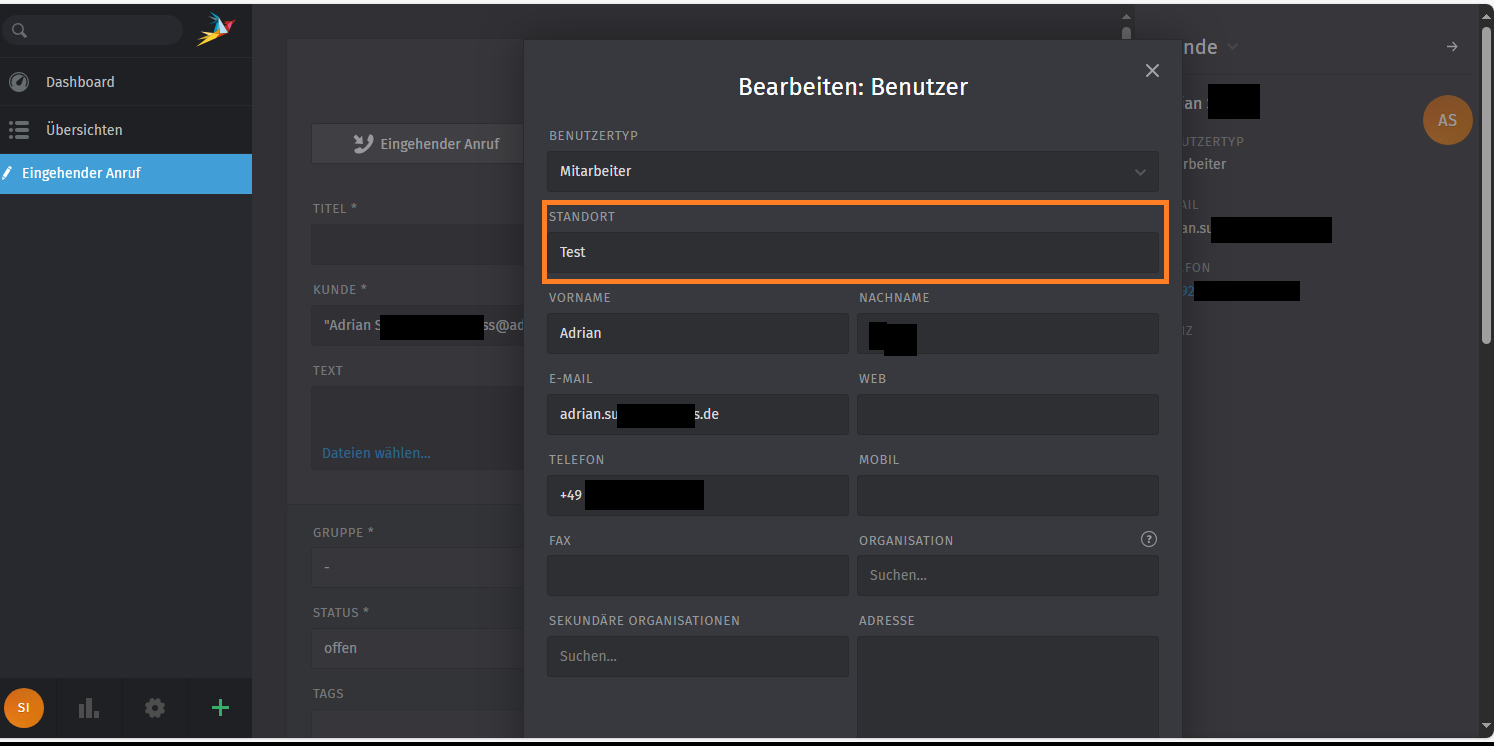
They are filled with values see:

I don’t get it. I have tried so many things…

Are you really sure the display configuration is the same for both fields? I can not reproduce it in my system.

And did you refresh the page?

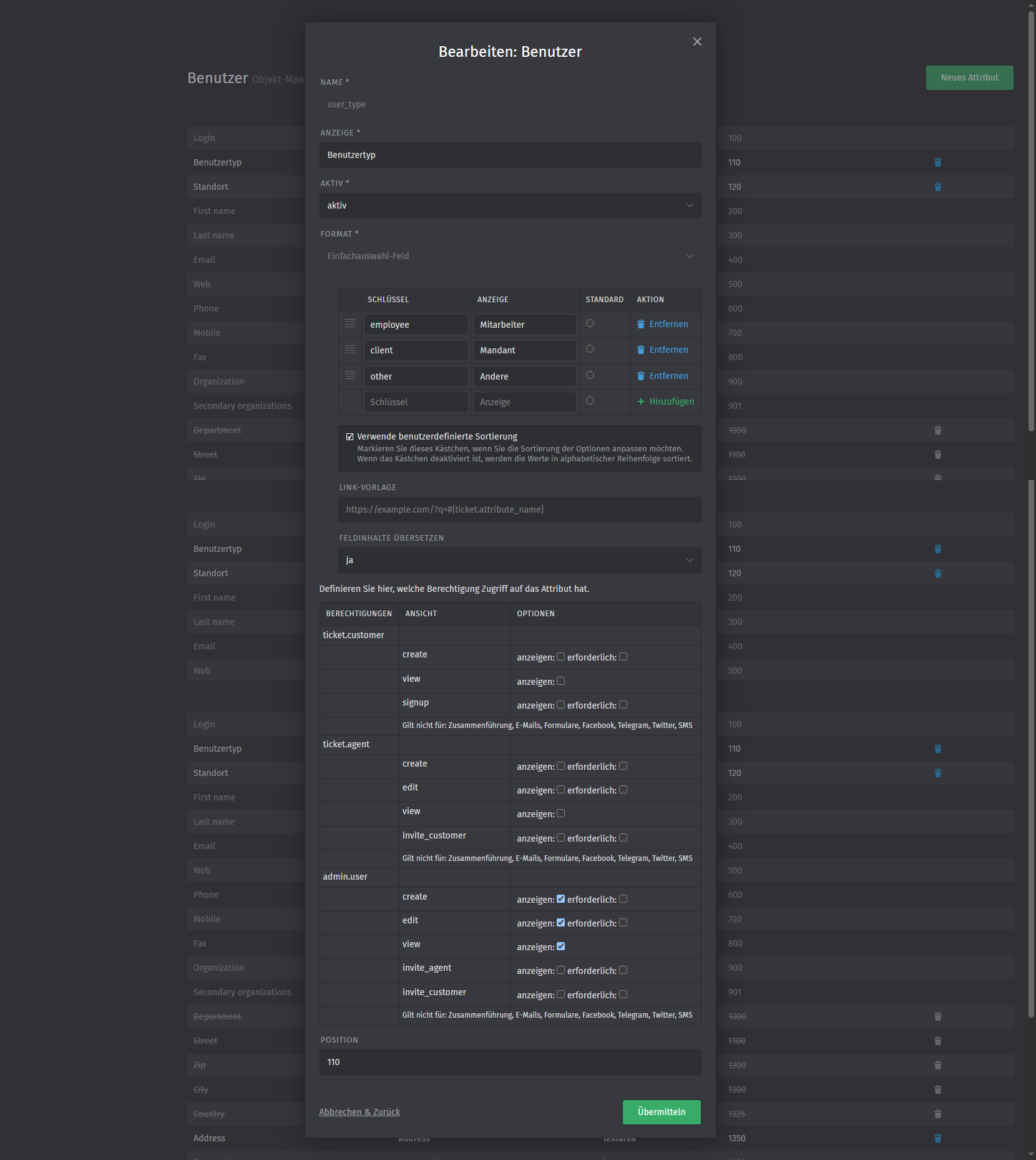
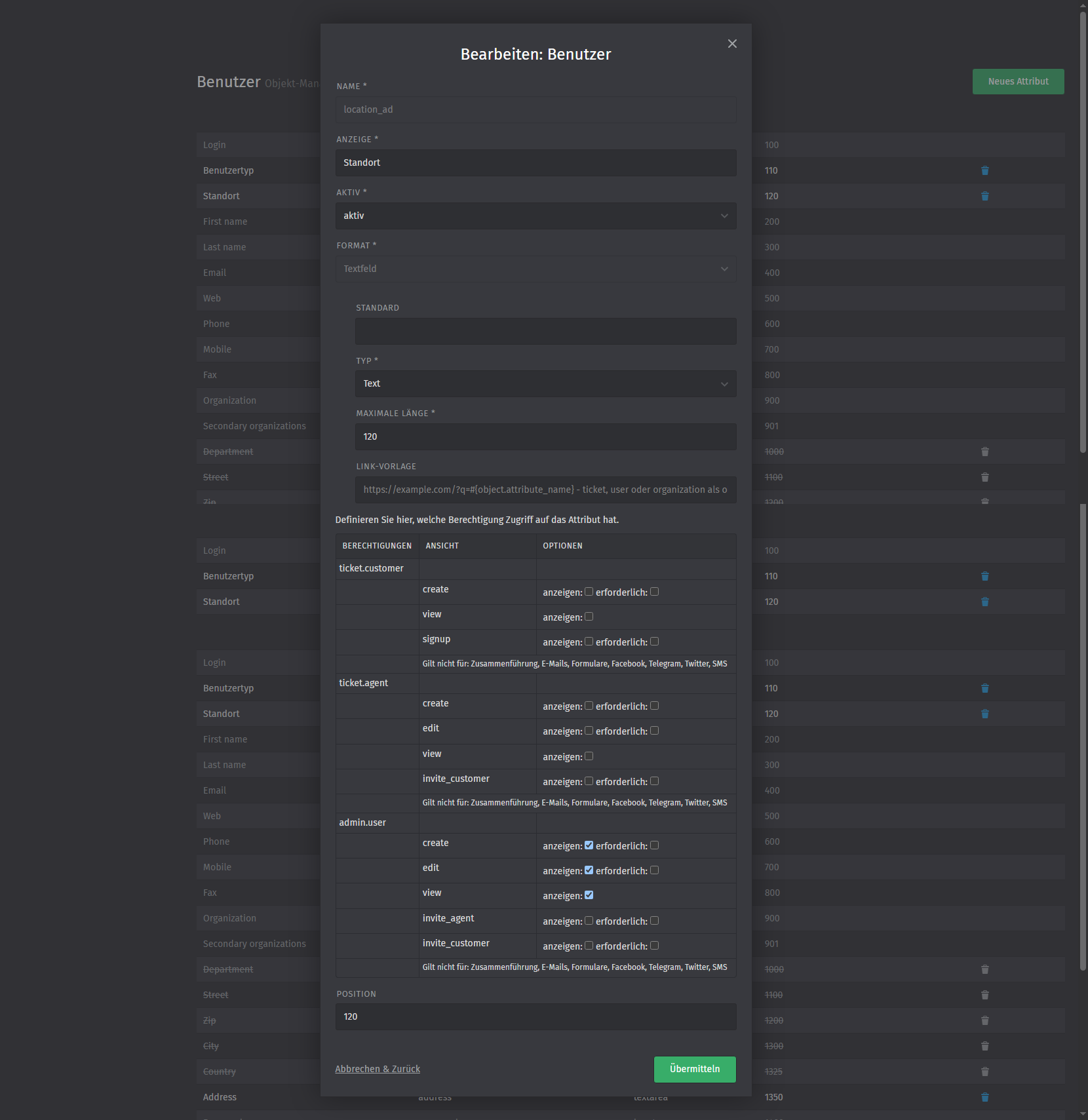
Here are two screenshots of my test settings:


I’m not sure if this information is helpful, but the “Location” field is populated by LDAP. A value is taken from AD and transferred to the field. The fields themselves are populated for every user; I have checked this several times.

And what kind of user are you using? And account which has admin permission for the “admin.user.” permission?

LDAP location field rings a bell in my old rusty brain…

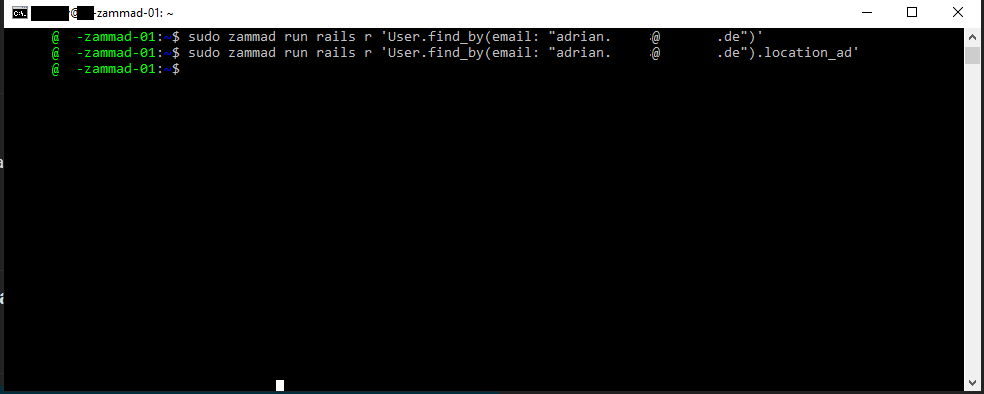
rails r 'User.find_by(email: "<email of a fitting ldap user>").location_id)'

You might want to double tab via rails if the field really has a value with a given user that has it set in your LDAP.

Yes, I use my master admin account, which has all rights.

Thanks in advance for your help. That’s the output I get when I run your command. Should there be a message, or does that mean everything is fine?

Haha I forgot to add the print command, but then it gives me the output.

“User.find_by(email: adrian.(adrian…@a…de).location_ad”

Sorry my bad. Please add a p in front of User. P as in print.

I just discovered something strange in the GUI…
I had created a custom field called Location (old), which is a drop-down field, but as we know, this cannot be populated with LDAP. So I set it to inactive. I have now activated it and selected a value, and suddenly both fields were displayed. That is, the drop-down field and the one filled via LDAP. As soon as I set the drop-down field back to empty, both fields disappear. Is there a connection here? Do you have an idea how to solve this?

Brief information for the community. I have now solved the problem as follows.
I think there was an error that cannot be explained, at least not to me.

I have now checked whether the custom field is used anywhere, in automations, triggers, core workflows, etc.

In my case, it only affected LDAP.
I removed the LDAP field from synchronization, cleared the cache once, restarted the system, then deactivated and deleted this custom field.

I recreated the custom field, cleared the cache again, restarted the system, and then reactivated the LDAP mapping.
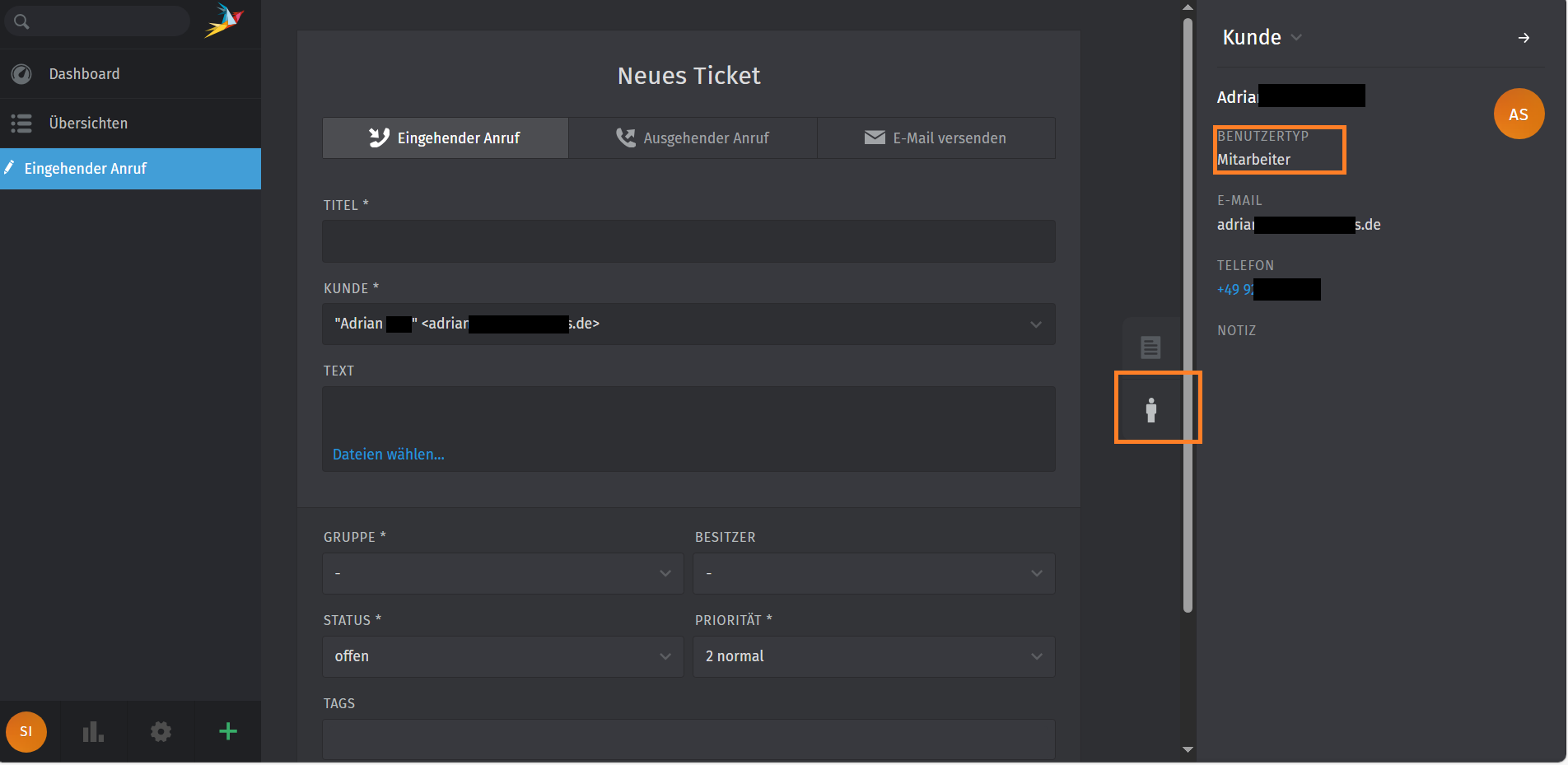
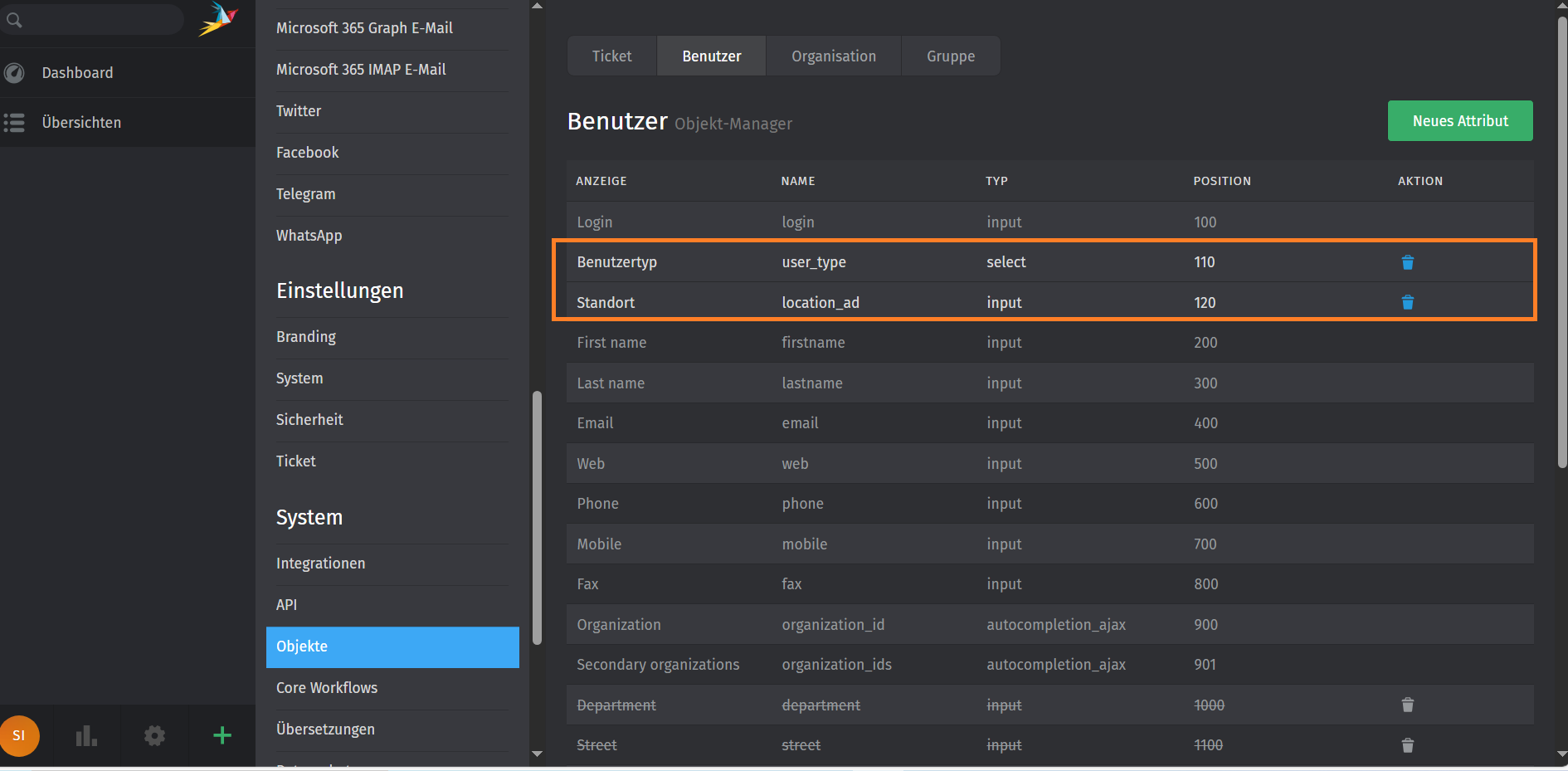
Now the custom field is displayed as intended.

Thank you for your responses to this post.

This topic was automatically closed 7 days after the last reply. New replies are no longer allowed.