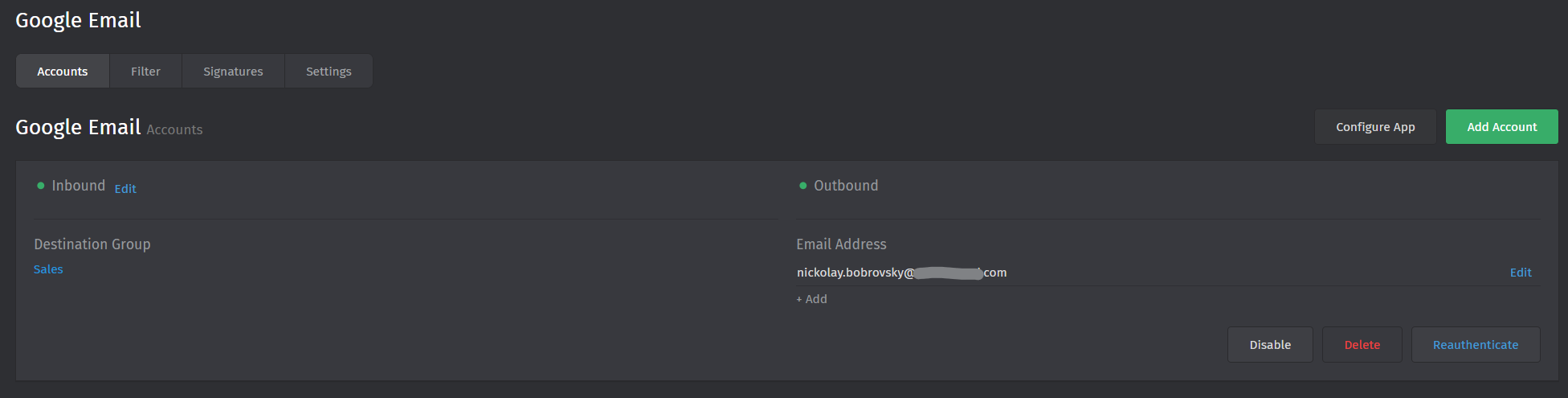
Google channel: incoming works, but outgoing replies are not sent

Infos:

  • Used Zammad version: Zammad 6.5.0
  • latest stable (package installation)
  • Operating system: Windows 11
  • Browser + version: Chrome 143.0.7499

Expected behavior:

  • When an agent replies to a ticket, the email should be sent to the customer and appear in the Gmail “Sent” folder of the connected Google account.

Actual behavior:

  • Incoming emails are received correctly and tickets are created, but outgoing replies from tickets are not sent.
    Customers do not receive replies and no messages appear in the Gmail “Sent” folder.
    There are no errors shown in the UI and no errors in production.log.

Steps to reproduce the behavior:

That’s what I’ve ALREADY done.

  1. Connect a Google Workspace (Gmail) account using the “Google Email” channel (OAuth), with 2FA enabled.
  2. Make sure this is the only email channel (no legacy SMTP/IMAP email channels exist).
  3. Send an email from an external address to the connected Gmail account.
  4. Wait until Zammad creates a ticket from the incoming email.
  5. Open the ticket and reply as an agent.
  6. Observe that the reply is not delivered to the recipient and does not appear in Gmail “Sent”.
Note that Zammad 6.5.2 is a security release and the current stable version you should use.

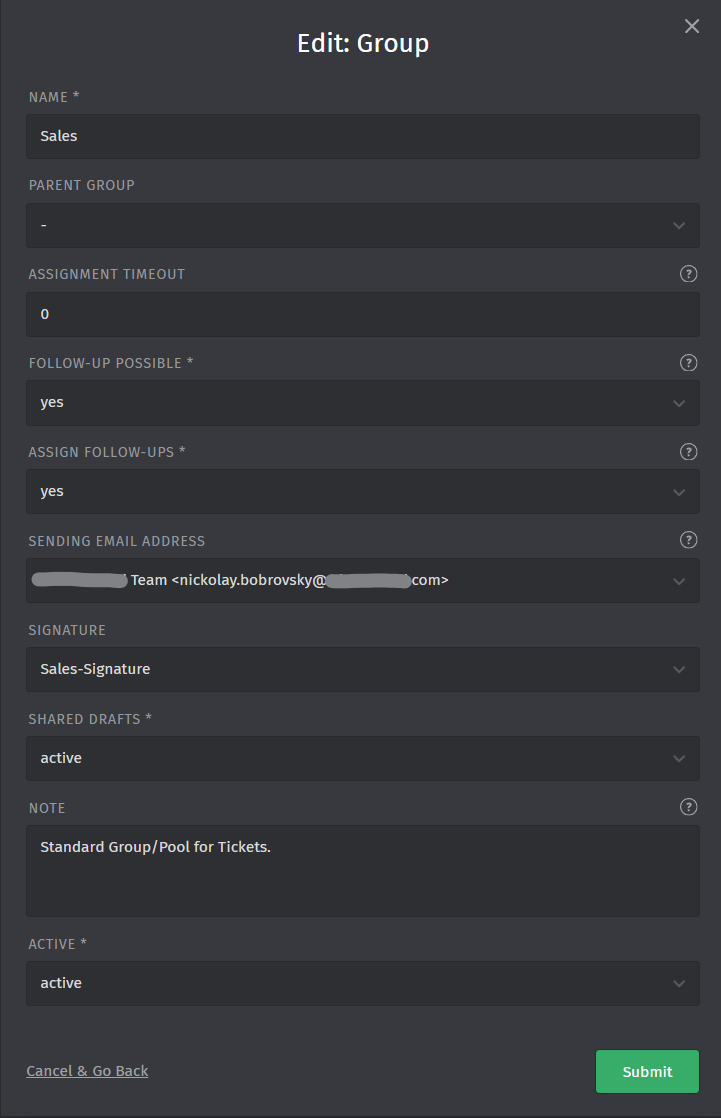
To your problem. If I’d had to guess: You did not configure the group to have the desired email address. (Group Settings — Zammad Admin Documentation documentation)

You can also tell in any affected ticket, if an incoming email does not have at least a “forward” and “reply” button underneath the article it belongs to.

Thanks for the hint.

I double-checked this part:

  • I have one main group: “Sales”.
  • The Sales group has the Google email address explicitly configured as the sender.
  • All child groups inherit settings from “Sales”.
  • All affected tickets belong to the “Sales” group.
  • In the ticket UI, both “Reply” and “Forward” buttons are present.

So from the group configuration side everything seems to be set correctly.

At this point I’m not sure what else could silently block outgoing emails when the Google channel and group sender are configured correctly.

Any further ideas where to look would be appreciated.