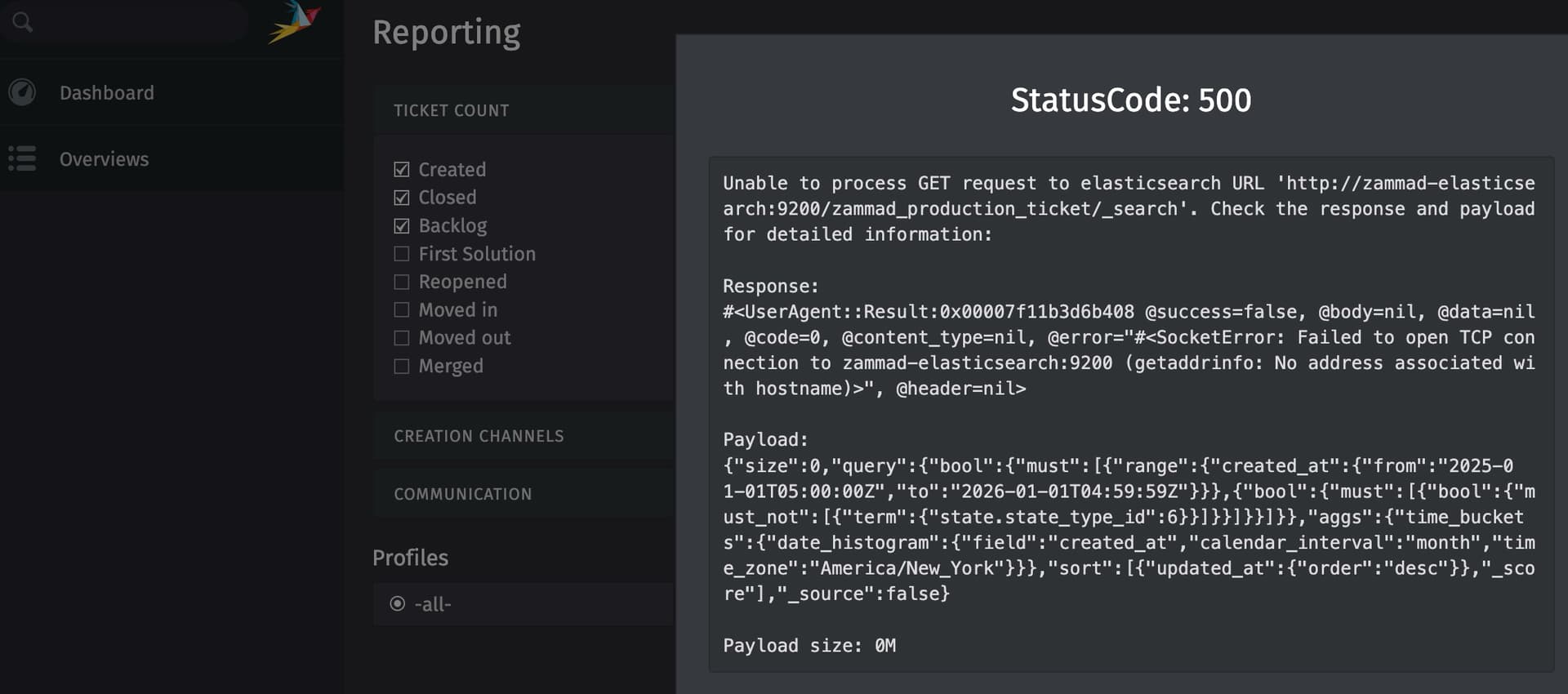
System was working fine one day (for over a year), not the next. Nothing was changed or altered.
All containers seem to be working fine, only logs from elastic search show errors.
Blockquote
Cluster health status changed from [YELLOW] to [GREEN] (reason: [shards started [[.ds-ilm-history-7-2025.11.15-000001][0]]]). | @timestamp=2025-11-15T17:51:47.514Z log.level=INFO current.health=GREEN previous.health=YELLOW reason=shards started [[.ds-ilm-history-7-2025.11.15-000001][0]] ecs.version=1.2.0 service.name=ES_ECS event.dataset=elasticsearch.server process.thread.name=elasticsearch[c1ea3a2cf936][masterService#updateTask][T#1] log.logger=org.elasticsearch.cluster.routing.allocation.AllocationService elasticsearch.cluster.uuid=qNOcCIx_TTurP_IhlQjmMg elasticsearch.node.id=Ttd6JAHMT4G8x1rGO_KRMA elasticsearch.node.name=c1ea3a2cf936 elasticsearch.cluster.name=docker-cluster
received plaintext http traffic on an https channel, closing connection Netty4HttpChannel{localAddress=/172.18.0.2:9200, remoteAddress=/172.18.0.9:59034} | @timestamp=2025-11-15T17:51:58.794Z log.level=WARN ecs.version=1.2.0 service.name=ES_ECS event.dataset=elasticsearch.server process.thread.name=elasticsearch[c1ea3a2cf936][transport_worker][T#2] log.logger=org.elasticsearch.http.netty4.Netty4HttpServerTransport elasticsearch.cluster.uuid=qNOcCIx_TTurP_IhlQjmMg elasticsearch.node.id=Ttd6JAHMT4G8x1rGO_KRMA elasticsearch.node.name=c1ea3a2cf936 elasticsearch.cluster.name=docker-cluster
received plaintext http traffic on an https channel, closing connection Netty4HttpChannel{localAddress=/172.18.0.2:9200, remoteAddress=/172.18.0.9:59036} | @timestamp=2025-11-15T17:51:58.795Z log.level=WARN ecs.version=1.2.0 service.name=ES_ECS event.dataset=elasticsearch.server process.thread.name=elasticsearch[c1ea3a2cf936][transport_worker][T#3] log.logger=org.elasticsearch.http.netty4.Netty4HttpServerTransport elasticsearch.cluster.uuid=qNOcCIx_TTurP_IhlQjmMg elasticsearch.node.id=Ttd6JAHMT4G8x1rGO_KRMA elasticsearch.node.name=c1ea3a2cf936 elasticsearch.cluster.name=docker-cluster
@DD4PK I did restart the service. I noticed I can not use the Postresql 17.6-alpine database in my docker compose, it states it’s incompatible, so I reverted back to -15-alpine. It’s odd to me because it was working fine for over a year then the next day problems.
Is there a database migration script I can run to try to get my stack to the latest development version? Maybe I should start there? I’m thinking an update did not go as planned.
I just did a fresh docker compose install on my test server and I’m receiving error(s)… is it possible to just run this stack without elastic search to eliminate the error?
You’re talking about latest and no change… but I’d assume that you did update Zammad over the time? Did you update the compose files etc? There where changes that also affect Elasticsearch if I remember correctly.
But that’s just a guess and hard to tell without knowing your exact versions and what exactly happened before this error occured.
I had the same problem with the official zammad docker release, had it running for some weeks with portainer and eventually started crashing shortly after reboot and can’t be brought back simply. I ended up installing via apt and fine tuning everything, ended up doing my own ansible for installing without docker.
@aficiomaquinas appreciate your insight. As I mentioned it was fine for a year then errors. I tried to deploy following the official guide without elasticsearch enabled but this hobbles the system. This renders reporting and client searches unusable…
In my case it seemed to be elasticsearch too, but i did not bother into trying to repair it. A docker installation is supposed to be deterministic, it’s against the purpose of it to tune it. I’m a lazy dev. I prefer to implement ready made things that just work without touching anything and making sure they remain updated. I’ve faced similar issues on big complex apps with mulitple layers. In the end what worked best for me was guaranteeing that my install goes through with everything in a single shot. I spent some weeks figuring it out with AI over the zammad docs, and it ended up being an ansible playbook to be run on a fresh ubuntu. Zammad has very good backups so, I guess it’s better thinking on the long term for my use case to stay away from Docker. It’s easier to mantain and to scale than Docker for me, at least in this use case. I guess my volume was able to drive it in a few weeks where yours may have taken more time to get there. Can you share your server stats? I was using an 8gb 4core vps, the only communication channel was email and it had some 20-50gb in storage? perhaps more? can’t remember honestly.
If this is the actual error, then you could try setting the environment variable xpack.security.enabled: 'false' for the zammad-elasticsearch service, just as it is specified in the docker-compose.yml. Also, check your other ELASTICSEARCH_ variables. The schema should not specify HTTPS. You should not need to set any of these variables if you use the internal ES service, the defaults shoud match correctly.
This might be caused by a recent switch away from bitnami images, which causes HTTPS to be unavailable for communication with the stack-internal ES service.
I set the variables but the error persists and the reporting and searching options are not operational. If there a way to eliminate ES altogether and still have those functions work or it’s ES or nothing?
It is working absolutely fine for me.
The only mayor difference I did (from experience) was to raise vm.max_map_count.
That requirement is not mentioned in neither docker based installation method, but manual ES installation page only: Set Up Elasticsearch — Zammad System Documentation documentation
-HOWEVER- Elasticsearch usually complains about this setting being too in its log.
As of now the current Zammad version of the compose is 6.5.2-22. The compose version is 14.1.2. I then switched to the latest available Zammad image 6.5.2-38. Still, no issues.
This is the docker stacks version:
root@swarm-1:/opt/zammad-docker-compose# docker version
Client: Docker Engine - Community
 Version:           28.3.2
 API version:       1.51
 Go version:        go1.24.5
 Git commit:        578ccf6
 Built:             Wed Jul  9 16:13:55 2025
 OS/Arch:           linux/amd64
 Context:           default

Server: Docker Engine - Community
 Engine:
  Version:          28.3.2
  API version:      1.51 (minimum version 1.24)
  Go version:       go1.24.5
  Git commit:       e77ff99
  Built:            Wed Jul  9 16:13:55 2025
  OS/Arch:          linux/amd64
  Experimental:     false
 containerd:
  Version:          1.7.27
  GitCommit:        05044ec0a9a75232cad458027ca83437aae3f4da
 runc:
  Version:          1.2.5
  GitCommit:        v1.2.5-0-g59923ef
 docker-init:
  Version:          0.19.0
  GitCommit:        de40ad0
I then upgraded my docker version to v29+ (which can cause some trouble right now) and re-checked. It just works fine for me, it’s either something specific to your data, configuration or machine. So without further, deeper input nobody will be able to help you.
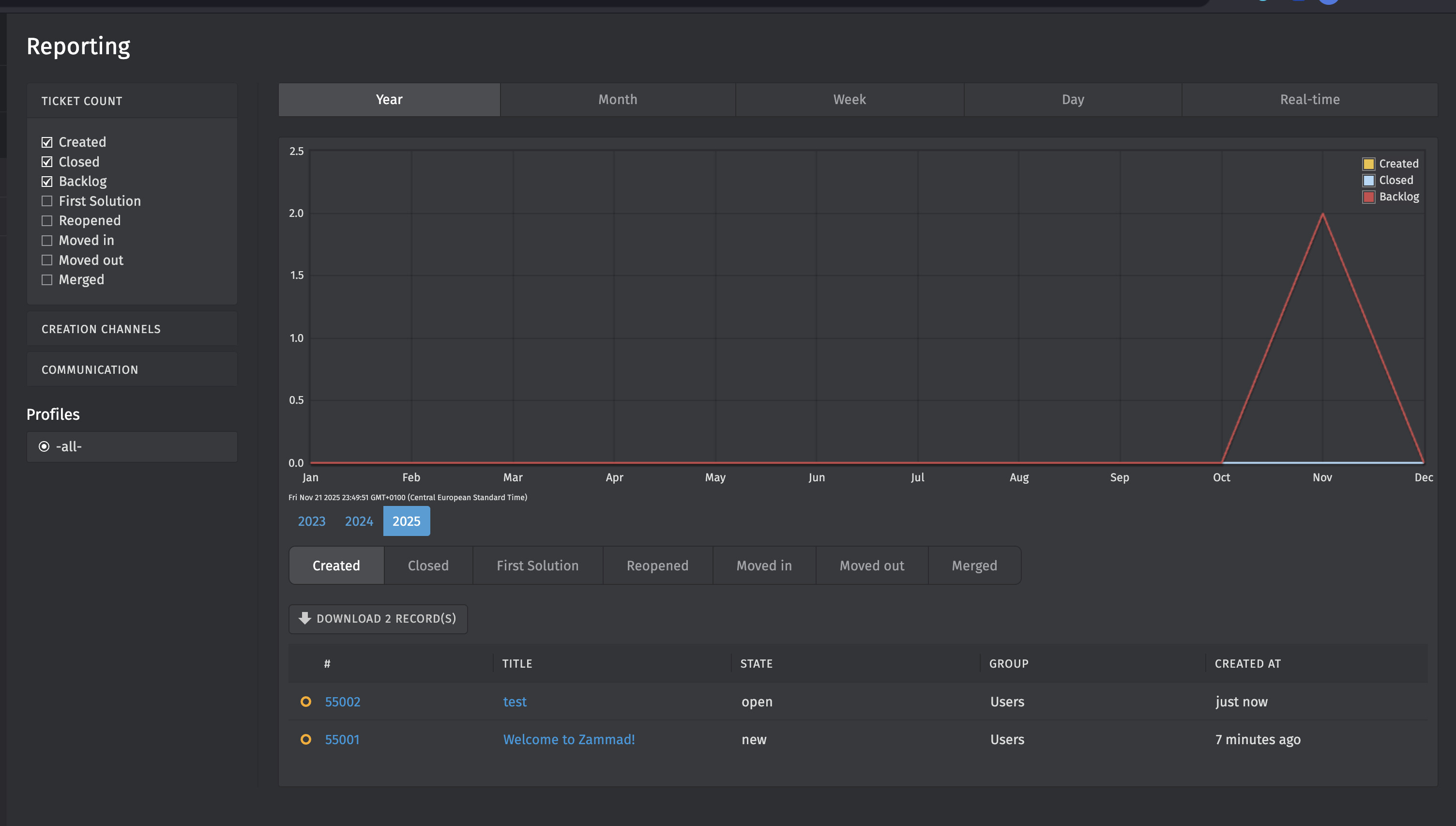
I want to thank everyone that assisted me. I was able to resolve my issue. I was using an older stack and had not realized there were ES env variables added I did not have in my stack.
I went line by line and added the ones missing and ran docker exec zammad-git-zammad-railsserver-1 /docker-entrypoint.sh bundle exec rake zammad:searchindex:rebuild and it’s working now.