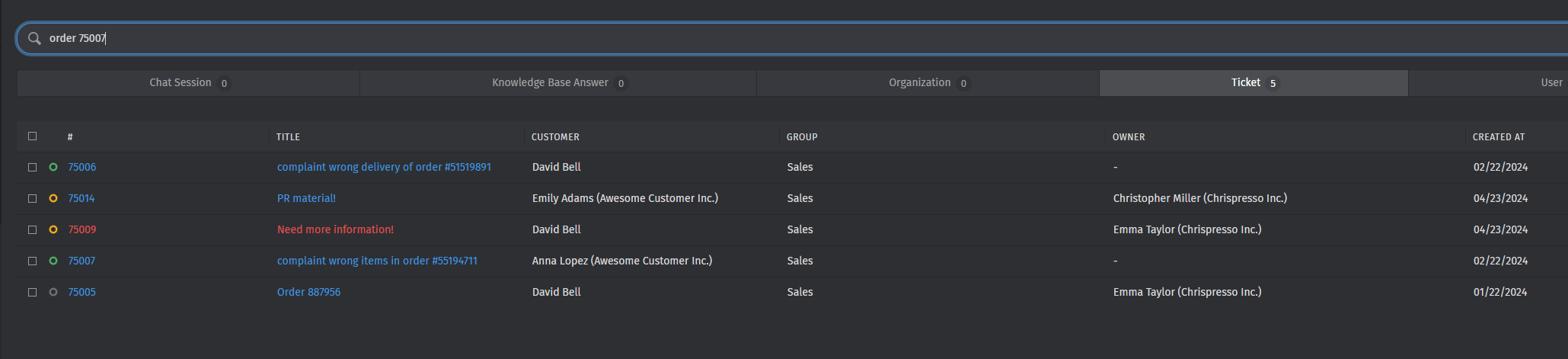
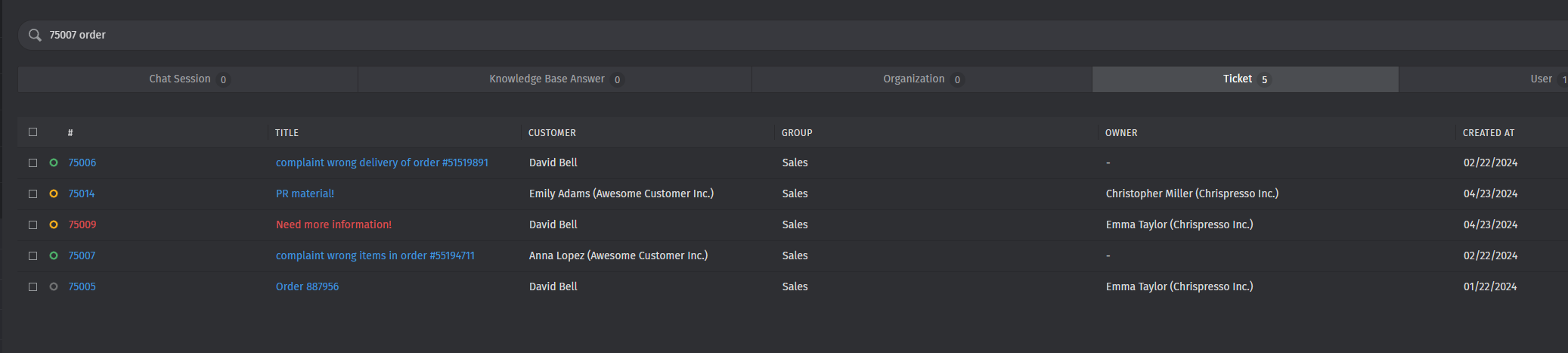
The order in of the keywords in the search field should not matter the result.
Actual behavior:
On my instance when i search for example for “6660 telefonie” i will get more results then if i search for “telefonie 6660”. It should’t matter, which order i use.
Steps to reproduce the behavior:
Due to different tickets on other instances, i cannot provide a way to reproduce this.
When I search for ‘xander transport’ I get 7 results, when I search for ‘transport xander’ I get 3 results (obviously all without the quotes, just the 2 words seperated by a space).
This is really odd!
I will try it again tomorrow and will also be able to submit a screenshot. I know that won’t really help and I don’t even think the bug is with Zammad, because Zammad just queries Elastic for the results. But it is very interesting to get to the bottom of this,
Because obviously all tickets are indexed correctly, so why does the order of the words matter?
Yes, different word order can get you the search results in a different order of course, because Elastic will order the results by relevance maybe. But it shouldn’t be possible to get 3 or 7 results by just switching the two search terms around.
And since we are seeing this and you are not, perhaps it has something to do with something seemingly unrelated, like the regional settings or the Linux version used or something like that…
I will search the Elastic forums for similar occurrences as well.
We have exactly the same issue. We are on Zammad 6.3.0-1714727086.86c0f001.focal
If I search for Dennis and 444 for example, I get 47 results. If I search for 444 and Dennis, I get 4 results. It doesn’t matter if I change the search query to Dennis AND 444 (and vice versa).
If you those experiencing this issue are not on 6.3.1, try again after upgrading to latest stable please. We cannot accept bug reports from “outdated” versions.
Thanks for the quick diagnosis! Although it’s probably fair to say 6.3.1 is only out for one day now and running 6.3.0 was considered to being up-to-date until yesterday. We usually keep in line with Zammad’s upgrade path, but we’re not that quick
I doesn’t always happen of course, many queries return the exact same results, no matter which order the words are in.
But take the ‘inkoop goblin’ example which only returned one result. I started that search really wanting to look for something, so I entered ‘inkoop’. I got a lot of results and noticed the word ‘goblin’ (from White Goblin Games) in many results and wanted to narrow it down, so I added ‘goblin’ to the search bar to narrow it down.
Instead of narrowing it down, almost all relevant results disappeared, leaving just one result instead. All 20 tickets from / about White Goblin Games disappeared. The word ‘goblin’ is in the sender and also in the ticket text itself (they use it in their signature).
I also tried moving tickets around to different groups etc, tried searching in the little bar on the left entering all words, tried adding / deleting search terms via the ‘big bar’ in the center, but it doesn’t matter, the results are always the same in these cases.
A ticket contains the text ‘white goblin games is a cool company, where a white creature works’.
If I then search for ‘white company’ (without the quotes, always without quotes), it matches because there is WHITE before COMPANY in this string.
If I searchs for ‘goblin white’ it matches as well: because there is the word WHITE after the word COMPANY as well.
But when the text is:
‘white goblin games is a cool company, where a creature works’
and I search for ‘white company’ it matches: there is COMPANY after WHITE.
But when I search for ‘company white’, there is no match because the word WHITE never appears after COMPANY in this example.
I haven’t been able to put a finger on it precisely, but could it be something like this? It’s not exactly this since sometimes what I just explained checks out, but with other queries it doesn’t.
Sorry for the many posts but I can’t seem to find the ‘edit’-button…
I’ve quickly run the update on the smaller instance. Same result, the issue happens on 6.3.1 also. Because it let me not sleep very well, i also tried a
I can’t really reproduce it. Which Elasticsearch versions are you guys using?
Possibly searching directly on Elasticsearch without Zammad in between might produce the same behavior…?