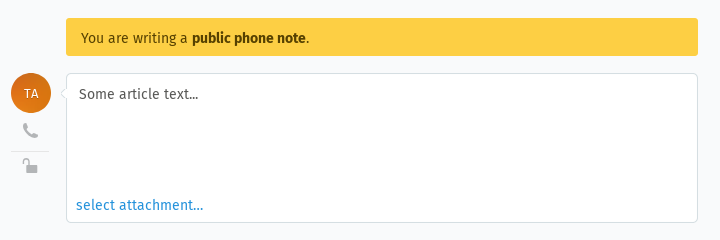
Desktop View: Desktop View: make the default reply action (reply vs. note) configurable

Title:

  1. What is your original issue/pain point you want to solve?

In the Desktop View ticket detail, the default reply action is hardcoded to “Add internal note” for agents and “Add reply” for customers. There is no Setting, Role, or user preference behind it. For helpdesks where the dominant agent action is a customer email reply (and internal notes are rare), the most prominent action on the screen is the least used one, while the most common one requires an extra click via the per-article reply menu.

  1. Which are one or two concrete situations where this problem hurts the most?
  • IT / customer support helpdesks where ~99% of agent activity is replying to the customer by email. Every reply now needs one extra click; the prominent button invites accidental internal notes that the customer never sees.

  • New / junior agents during onboarding — the most visible button is the action they should almost never take.

  1. Why is it not solvable with the Zammad standard?

The button selection is hardcoded based on viewer type. No admin setting, group setting, role permission, or user preference can change it. The only current workarounds are agent training (doesn’t scale) or local frontend patches (not feasible for most installations).

  1. What is your expectation/what do you want to achieve?

A way to choose whether the default reply action is “reply” or “note”.

I’m not prescribing the design — a global Setting, a Role permission, a per-group option, or a personal preference would all solve it; Zammad maintainers are in the best position to pick what fits the product.

If there is any more useful information, feel free to share it all (e.g.: mockup screenshots, if something is UI related, or the API URL/documentation URL for a service you need a connection to).

Your Zammad environment:

  • Average concurrent agent count: 5
  • Average tickets a day: 5-20
  • What roles/people are involved: agents (internal-users IT support), admin

Anything else which you think is useful to understand your use case:

Thank you and have fun.
As you prefer to safe clicks:

If you’re using the reply button below an article, it will automatically fill in the email adress(es) for you. So you don’t need to use that step at the bottom at all. Otherwise you’ll have the same issue tbh.

We are currently redesigning the entire reply experience for the new UI. It’s possible that this won’t be the last redesign before the public release.

For now, we are aware of this issue and are working on improving it. Stay tuned!

1 Like

I agree. This is a working version.

But having a dedicated field for the response at the bottom of the screen confuses the agent.

The point of the request is more about removing a non-intuitive interaction and avoiding mistakes than about adding a “nice-to-have”.

Eventually over time, the agents will figure it out. (My solution is to create triggers while we wait on zammad to fix the UI)

But while an agent is getting trained (gain experience), I had to set up a trigger to warn them incase they thought they were sending an email. (Still happens to me a couple times a year.)

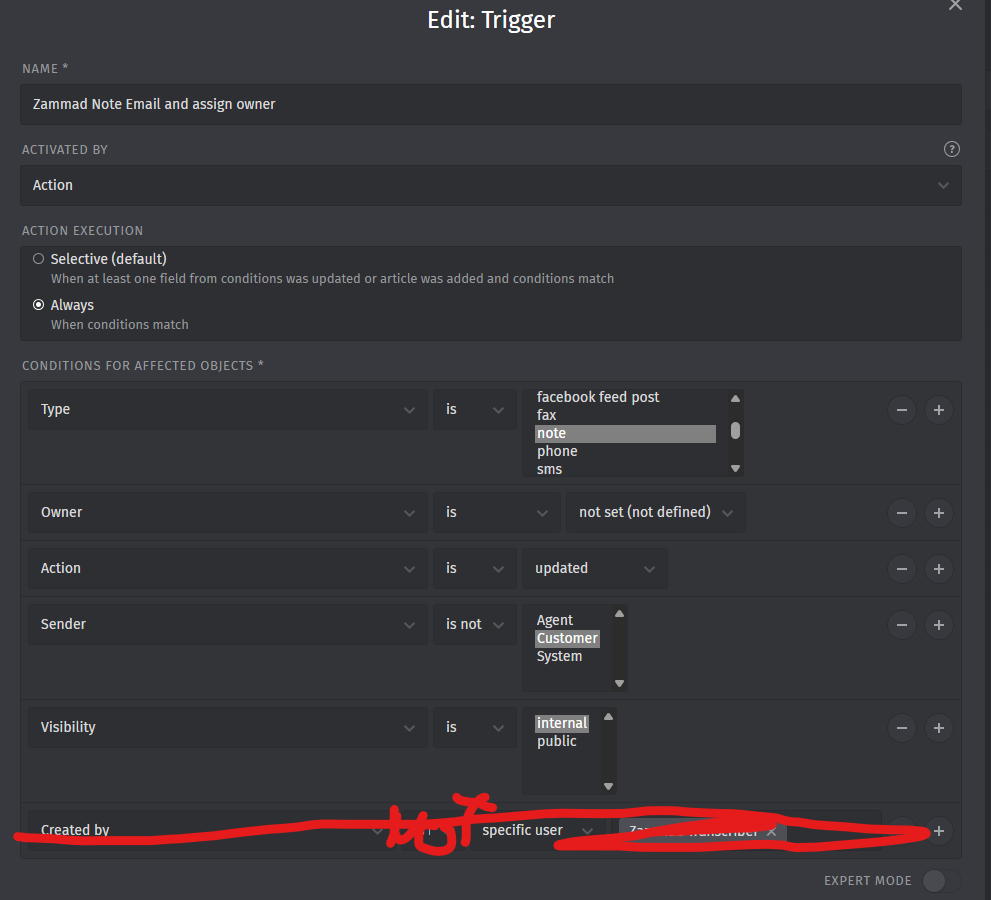
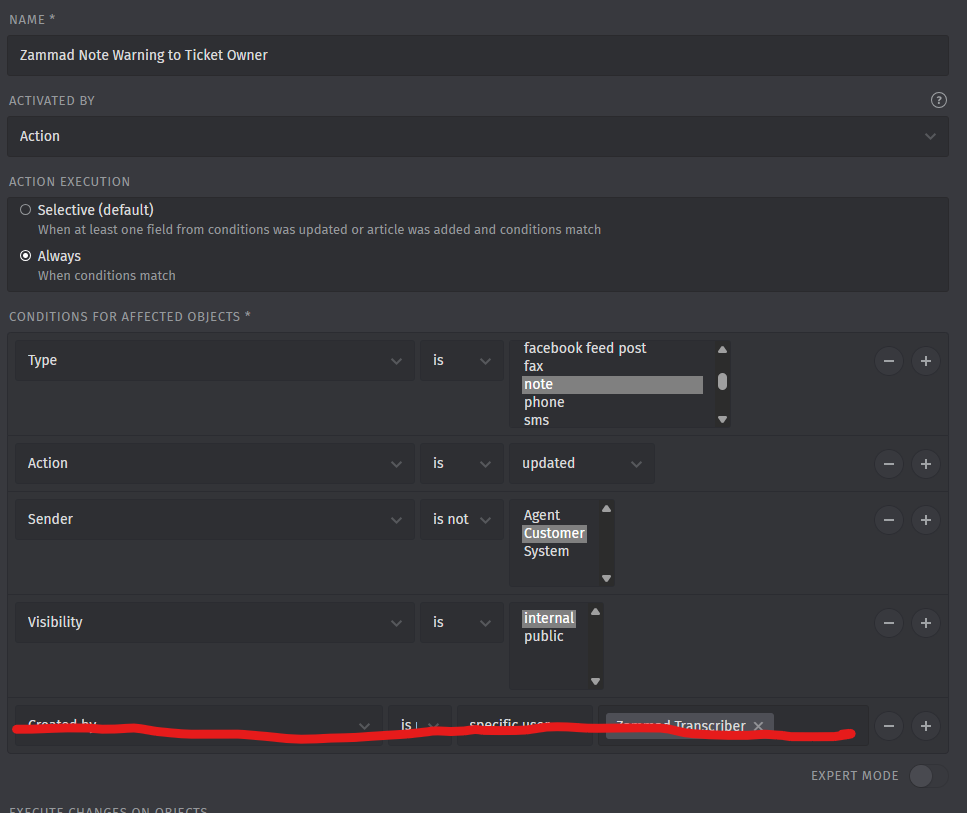
Two triggers have to happen for this warning message to be sent to the noting agent.

The first trigger is a note happened when no agent is assigned to the ticket, so it assigns and then sends a warning email.
The other trigger is for agents who are already assigned, an email will be sent to the assigned agent warning them that they made a “public” note and not an email.


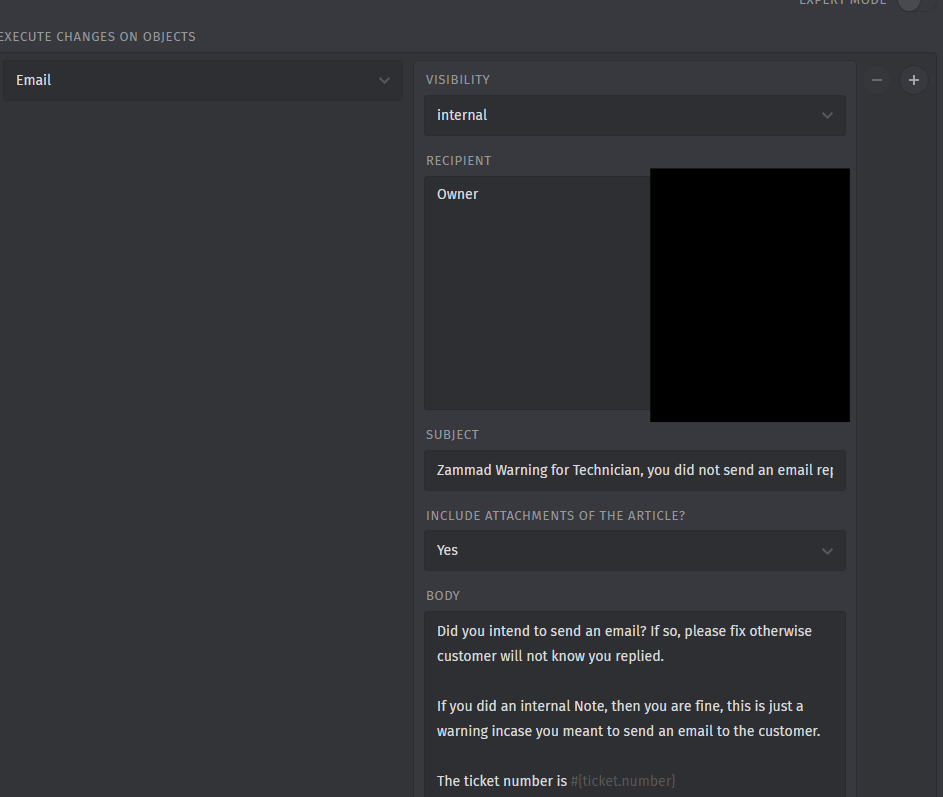
“Here is the body for you to be able to copy into your trigger”

Did you intend to send an email? If so, please fix otherwise customer will not know you replied.

If you did an internal Note, then you are fine, this is just a warning incase you meant to send an email to the customer.

The ticket number is #{ticket.number}
The ticket title is #{ticket.title}
#{article.body_as_html}

And here is the trigger for agents that are already assigned.


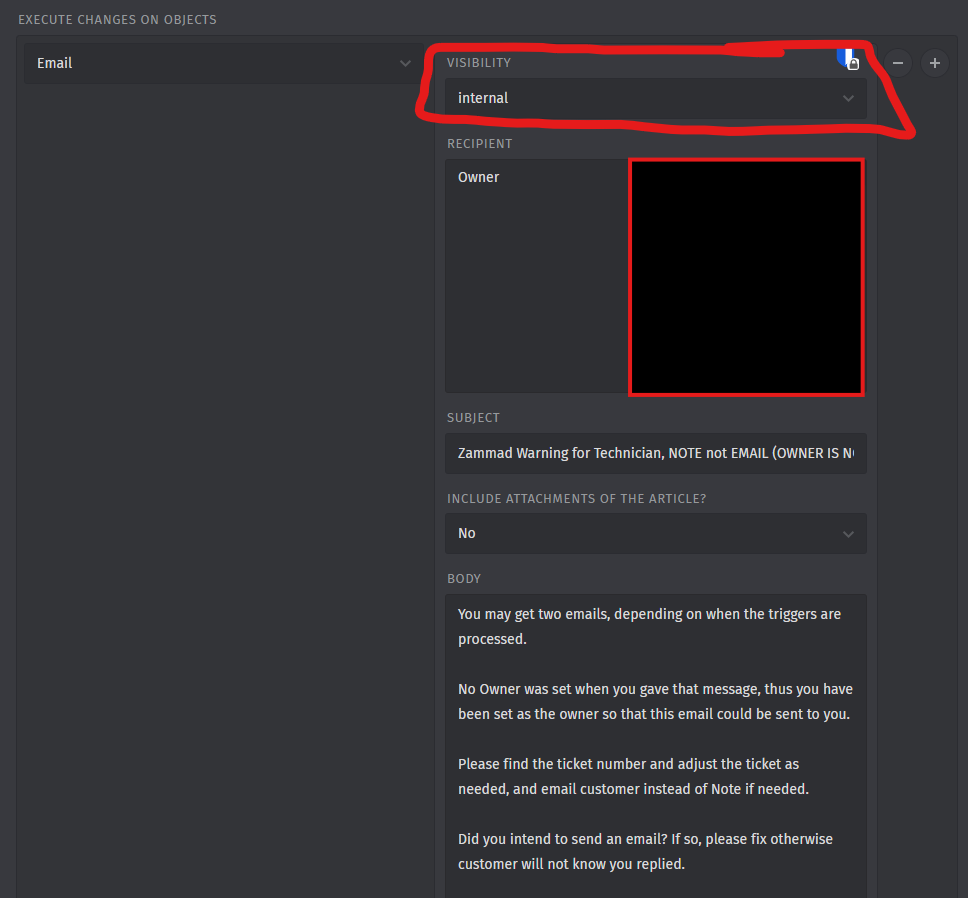
and here is the body of this trigger.

You may get two emails, depending on when the triggers are processed.

No Owner was set when you gave that message, thus you have been set as the owner so that this email could be sent to you.

Please find the ticket number and adjust the ticket as needed, and email customer instead of Note if needed.

Did you intend to send an email? If so, please fix otherwise customer will not know you replied.

If you did an internal Note, then you are fine, this is just a warning incase you meant to send an email to the customer.

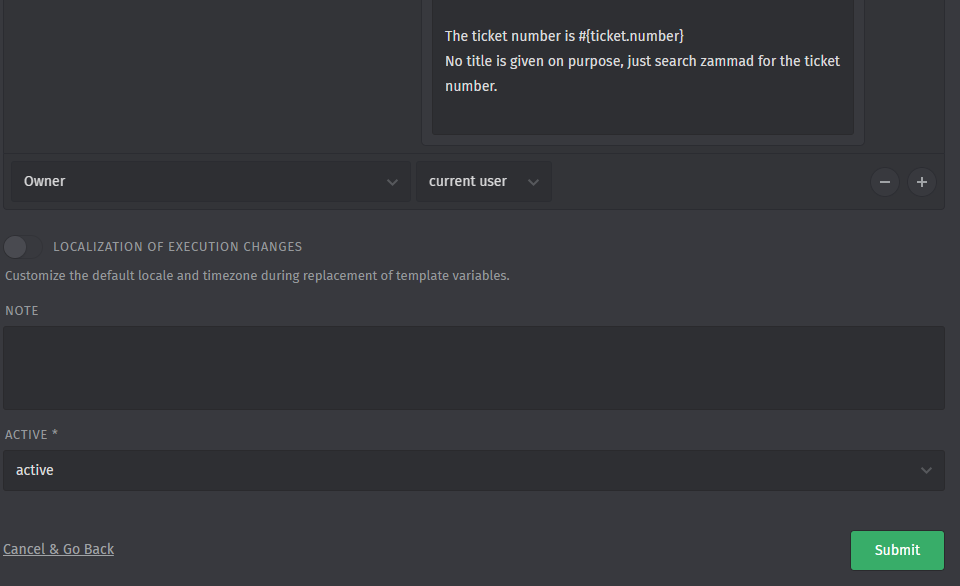
The ticket number is #{ticket.number}
No title is given on purpose, just search zammad for the ticket number.

Thank you. I hadn’t thought of that approach to this issue. I appreciate your help.

There is also the option to add descriptions to the different article types:

Good evening.
Thank you; that’s exactly what we used. But we noticed that sometimes this message also appears on the user’s end.

Then we found a new UI, and the issue resolved itself :slight_smile: