# Packages Tutorial
**URL:** https://community.zammad.org/t/packages-tutorial/12079
**Category:** Development
**Tags:** packages, docs, custom-development, tutorial, zpm
**Created:** [August 28, 2023, 7:58am UTC](https://community.zammad.org/t/packages-tutorial/12079 "2023-08-28T07:58:02Z")
**Posts on this page:** 1
**Showing post:** 12
### Author:  [@rolfschmidt](https://community.zammad.org/u/rolfschmidt)
#### Post date: [September 5, 2023, 12:51pm UTC](https://community.zammad.org/t/packages-tutorial/12079/12 "2023-09-05T12:51:07Z")
# Telnyx SMS Notification (SMS Integration Package)
Many people here asked, how to do an SMS integration. Today we will build one. I actually put in the effort and tried to implement a new provider just for you guys. First step is to find a provider you want to implement. I found out that we have a couple of US people and Telnyx is one of the most popular services. So why not!
1. Let’s understand how to send an SMS via Telnyx:
```ruby
require "telnyx"
Telnyx.api_key = "YOUR_API_KEY"
from_number = "YOUR_TELNYX_NUMBER"
to_number = "DESTINATION_NUMBER"
response = Telnyx::Message.create(
from: from_number,
to: to_number,
text: "Hello, world!"
)
```
([Send Your First Message - Telnyx](https://developers.telnyx.com/docs/v2/messaging/messages/tutorials/send_message/send_message/#send-sms-4))
This looks actually very simple. We already have a gem which is ready to use, and it is just a couple of lines to send SMS. WOW, nice!
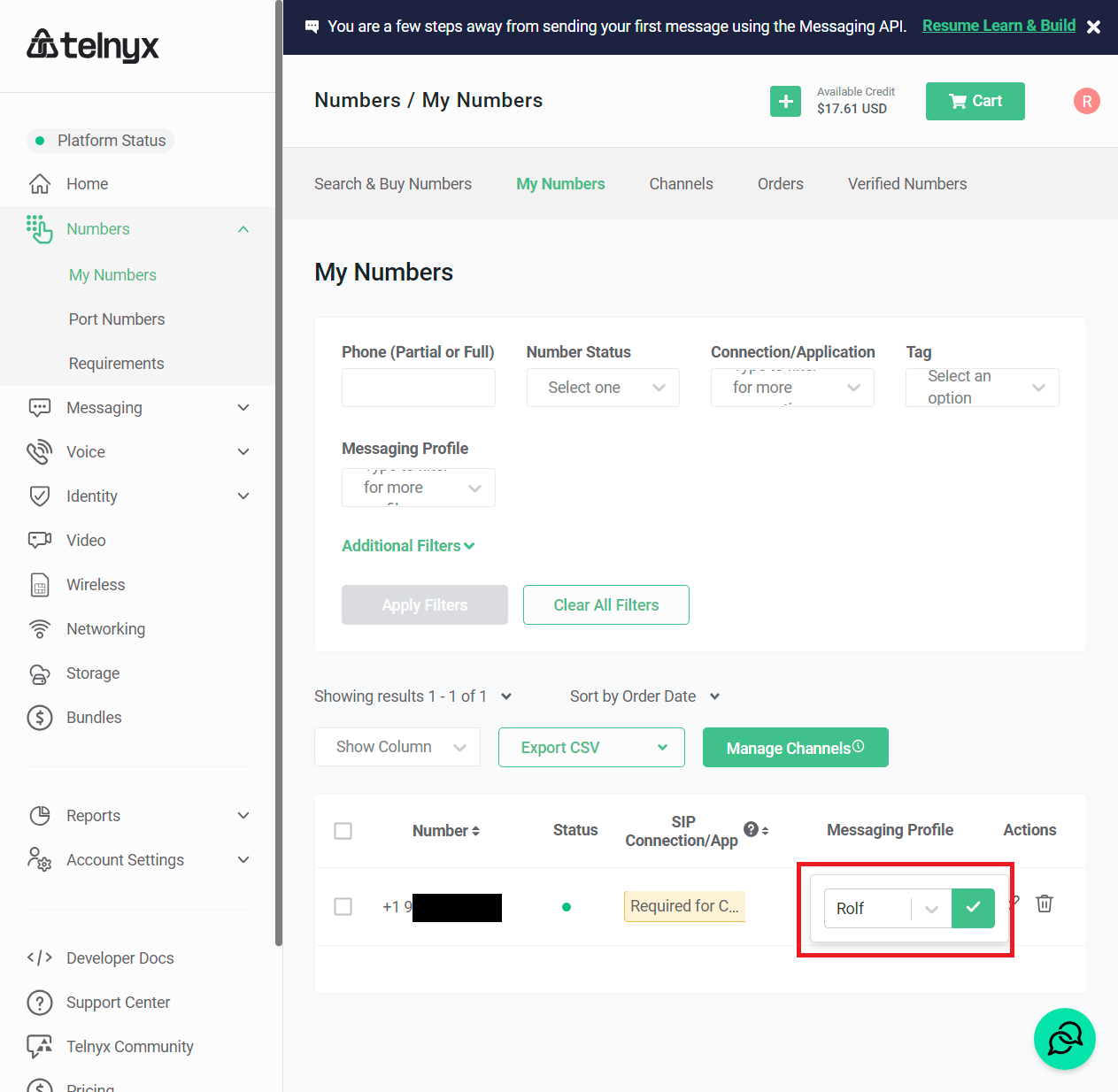
1. Now you have to register an account. For the number you need also to configure a message profile to define the sender name of your new number.
1. Before we start with the package, we should do a proof of concept. Normally I just create an `poc.rb` for testing:
```bash
ubuntu-rs@ubuntu-rs:/workspace/git_zammad/zammad$ gem install telnyx
Successfully installed telnyx-2.9.0
Parsing documentation for telnyx-2.9.0
Installing ri documentation for telnyx-2.9.0
Done installing documentation for telnyx after 0 seconds
1 gem installed
```
`poc.rb`
```ruby
Telnyx.api_key = 'KEY018xxxx'
Telnyx::Message.create(
from: '+1912xxx',
to: '+491xxxx',
text: SecureRandom.uuid,
)
```
Now the big problem came in. I am german and this service does not allow you to send SMS internationally. This is the end… 😮💨 I already bought a number for this tutorial and wasted a couple of bucks, so there is no return. I went to the account settings and asked for Level 2 access. With that you are allowed to send SMS as well internationally.
…
After a couple of days they agreed. We are BACK! 🤩
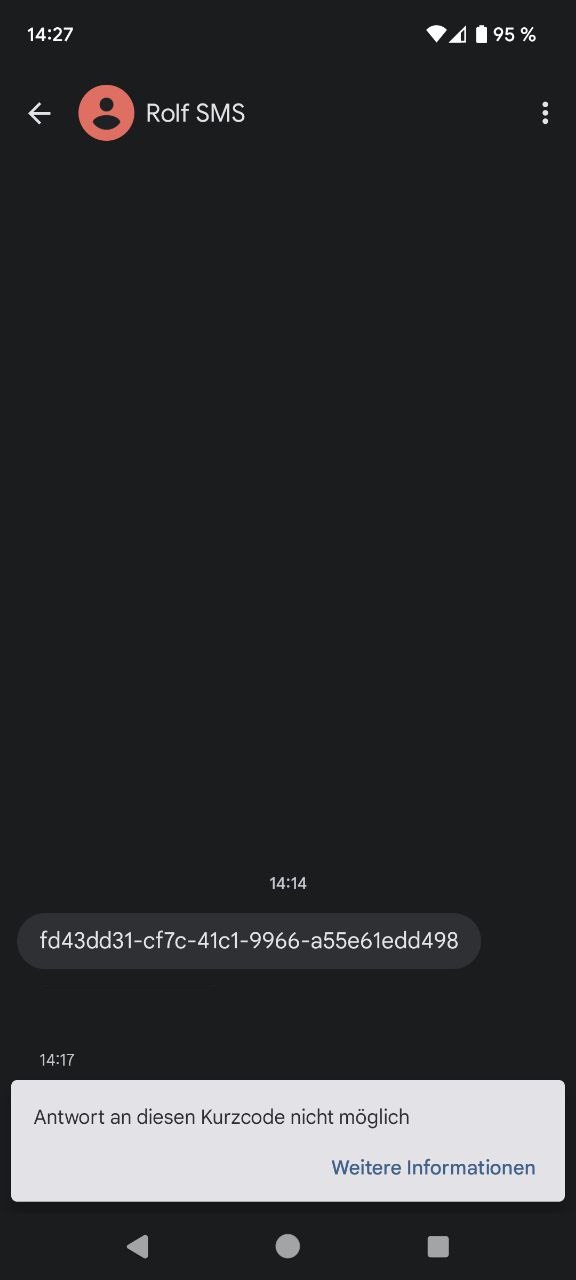
1. Finally, it works. Now we have to understand how it works in Zammad. I’m a big fan of copy paste so let’s just go with the massenversand integration:
>
It’s like ~70 lines of code. Very simple! There is an **send** function which sends the SMS and we have the **definition** function which holds the configuration for the UI.
Let me rework this for telnyx:
`app/models/channel/driver/sms/telnyx.rb`
```ruby
class Channel::Driver::Sms::Telnyx
NAME = 'sms/telnyx'.freeze
# Style/OptionalBooleanParameter
def send(options, attr, _notification = false) # rubocop:disable Style/OptionalBooleanParameter
Rails.logger.info "Sending SMS to recipient #{attr[:recipient]}"
return true if Setting.get('import_mode')
Rails.logger.info "Backend sending Telnyx SMS to #{attr[:recipient]}"
begin
send_create(options, attr)
true
rescue => e
message = __('Error while performing request to Telnyx')
Rails.logger.error message
Rails.logger.error e
raise message
end
end
def send_create(options, attr)
require 'telnyx'
Telnyx.api_key = options[:token]
Telnyx::Message.create(
from: options[:sender],
to: attr[:recipient],
text: attr[:message],
)
end
def self.definition
{
name: 'Telnyx',
adapter: 'sms/telnyx',
notification: [
{ name: 'options::token', display: __('API Token'), tag: 'input', type: 'text', limit: 200, null: false, placeholder: 'YOUR_API_KEY' },
{ name: 'options::sender', display: __('Sender'), tag: 'input', type: 'text', limit: 200, null: false, placeholder: '+18665552368' },
]
}
end
end
```
1. For the gem support we also need a Gemfile:
`Gemfile.local.ExampleTelnyx`
```auto
gem 'telnyx'
```
1. Let’s package up:
```bash
ubuntu-rs@ubuntu-rs:/workspace/git_zammad/Example-Telnyx$ git zammad-new-szpm
ubuntu-rs@ubuntu-rs:/workspace/git_zammad/Example-Telnyx$ git zammad-update-szpm
ubuntu-rs@ubuntu-rs:/workspace/git_zammad/Example-Telnyx$ git zammad-create-zpm 1.0.0
ubuntu-rs@ubuntu-rs:/workspace/git_zammad/Example-Telnyx$ cat example-telnyx-1.0.0.zpm
{
"name": "Example-Telnyx",
"version": "1.0.0",
"vendor": "Example GmbH",
"license": "GNU AFFERO GENERAL PUBLIC LICENSE",
"url": "http://example.com/",
"files": [
{
"location": "Gemfile.local.ExampleTelnyx",
"permission": 644,
"encode": "base64",
"content": "Z2VtICd0ZWxueXgnCg=="
},
{
"location": "app/models/channel/driver/sms/telnyx.rb",
"permission": 644,
"encode": "base64",
"content": "IyBDb3B5cmlnaHQgKEMpIDIwMTItMjAyMyBaYW1tYWQgRm91bmRhdGlvbiwg\naHR0cHM6Ly96YW1tYWQtZm91bmRhdGlvbi5vcmcvCgpjbGFzcyBDaGFubmVs\nOjpEcml2ZXI6OlNtczo6VGVsbnl4CiAgTkFNRSA9ICdzbXMvdGVsbnl4Jy5m\ncmVlemUKCiAgIyBTdHlsZS9PcHRpb25hbEJvb2xlYW5QYXJhbWV0ZXIKICBk\nZWYgc2VuZChvcHRpb25zLCBhdHRyLCBfbm90aWZpY2F0aW9uID0gZmFsc2Up\nICMgcnVib2NvcDpkaXNhYmxlIFN0eWxlL09wdGlvbmFsQm9vbGVhblBhcmFt\nZXRlcgogICAgUmFpbHMubG9nZ2VyLmluZm8gIlNlbmRpbmcgU01TIHRvIHJl\nY2lwaWVudCAje2F0dHJbOnJlY2lwaWVudF19IgoKICAgIHJldHVybiB0cnVl\nIGlmIFNldHRpbmcuZ2V0KCdpbXBvcnRfbW9kZScpCgogICAgUmFpbHMubG9n\nZ2VyLmluZm8gIkJhY2tlbmQgc2VuZGluZyBUZWxueXggU01TIHRvICN7YXR0\ncls6cmVjaXBpZW50XX0iCiAgICBiZWdpbgogICAgICBzZW5kX2NyZWF0ZShv\ncHRpb25zLCBhdHRyKQoKICAgICAgdHJ1ZQogICAgcmVzY3VlID0+IGUKICAg\nICAgbWVzc2FnZSA9IF9fKCdFcnJvciB3aGlsZSBwZXJmb3JtaW5nIHJlcXVl\nc3QgdG8gVGVsbnl4JykKICAgICAgUmFpbHMubG9nZ2VyLmVycm9yIG1lc3Nh\nZ2UKICAgICAgUmFpbHMubG9nZ2VyLmVycm9yIGUKICAgICAgcmFpc2UgbWVz\nc2FnZQogICAgZW5kCiAgZW5kCgogIGRlZiBzZW5kX2NyZWF0ZShvcHRpb25z\nLCBhdHRyKQogICAgcmVxdWlyZSAndGVsbnl4JwoKICAgIFRlbG55eC5hcGlf\na2V5ID0gb3B0aW9uc1s6dG9rZW5dCiAgICBUZWxueXg6Ok1lc3NhZ2UuY3Jl\nYXRlKAogICAgICBmcm9tOiBvcHRpb25zWzpzZW5kZXJdLAogICAgICB0bzog\nICBhdHRyWzpyZWNpcGllbnRdLAogICAgICB0ZXh0OiBhdHRyWzptZXNzYWdl\nXSwKICAgICkKICBlbmQKCiAgZGVmIHNlbGYuZGVmaW5pdGlvbgogICAgewog\nICAgICBuYW1lOiAgICAgICAgICdUZWxueXgnLAogICAgICBhZGFwdGVyOiAg\nICAgICdzbXMvdGVsbnl4JywKICAgICAgbm90aWZpY2F0aW9uOiBbCiAgICAg\nICAgeyBuYW1lOiAnb3B0aW9uczo6dG9rZW4nLCBkaXNwbGF5OiBfXygnQVBJ\nIFRva2VuJyksIHRhZzogJ2lucHV0JywgdHlwZTogJ3RleHQnLCBsaW1pdDog\nMjAwLCBudWxsOiBmYWxzZSwgcGxhY2Vob2xkZXI6ICdZT1VSX0FQSV9LRVkn\nIH0sCiAgICAgICAgeyBuYW1lOiAnb3B0aW9uczo6c2VuZGVyJywgZGlzcGxh\neTogX18oJ1NlbmRlcicpLCB0YWc6ICdpbnB1dCcsIHR5cGU6ICd0ZXh0Jywg\nbGltaXQ6IDIwMCwgbnVsbDogZmFsc2UsIHBsYWNlaG9sZGVyOiAnKzE4NjY1\nNTUyMzY4JyB9LAogICAgICBdCiAgICB9CiAgZW5kCmVuZAo="
}
]
}
```
1. Install the package on your testsystem (Admin → Packages) and run the commands:
```auto
root> zammad config:set BUNDLE_DEPLOYMENT=0
root> zammad run bundle config set --local deployment 'false'
root> zammad run bundle install
root> systemctl restart zammad
```
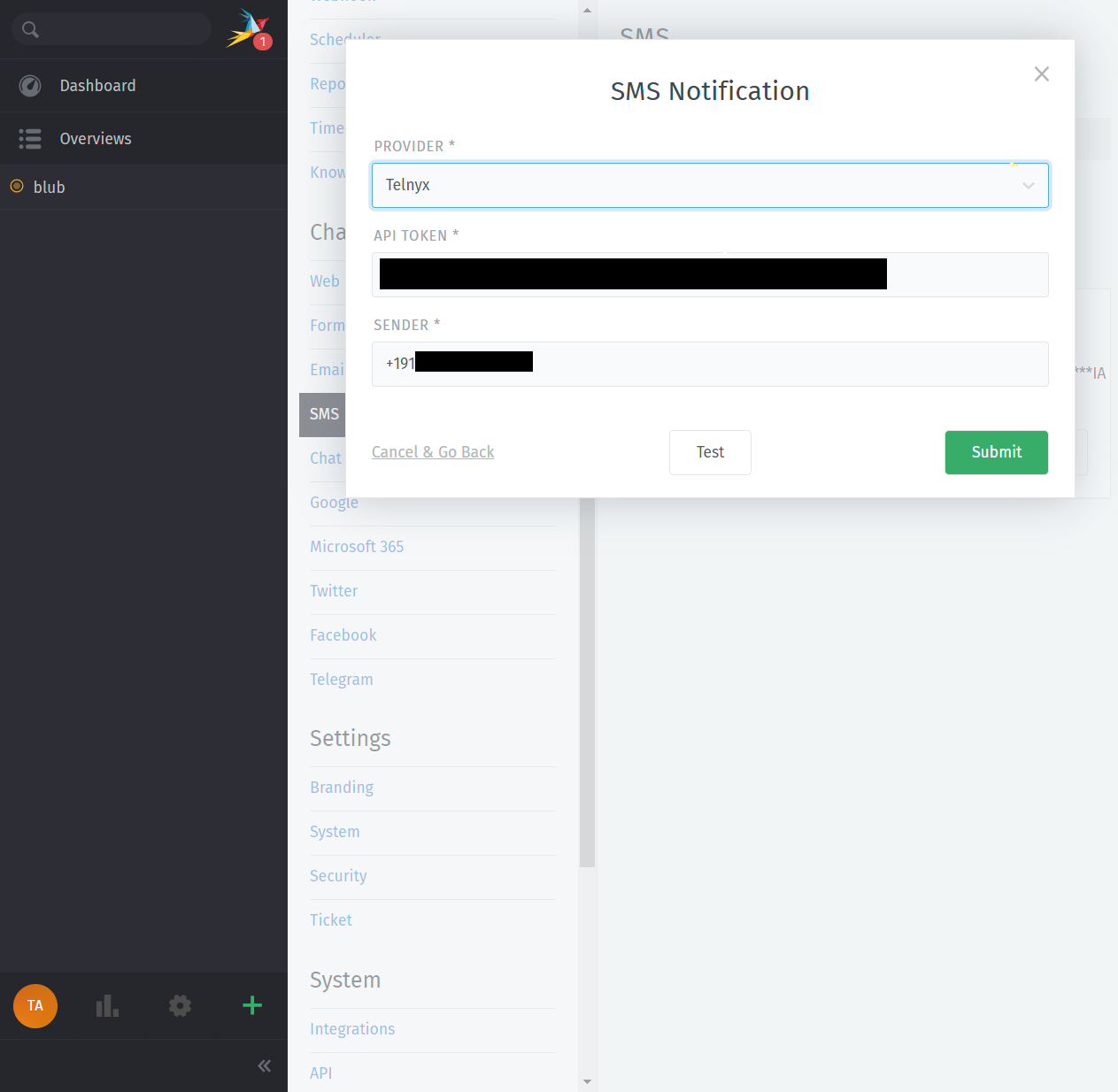
1. After installation, we need to configure the integration:
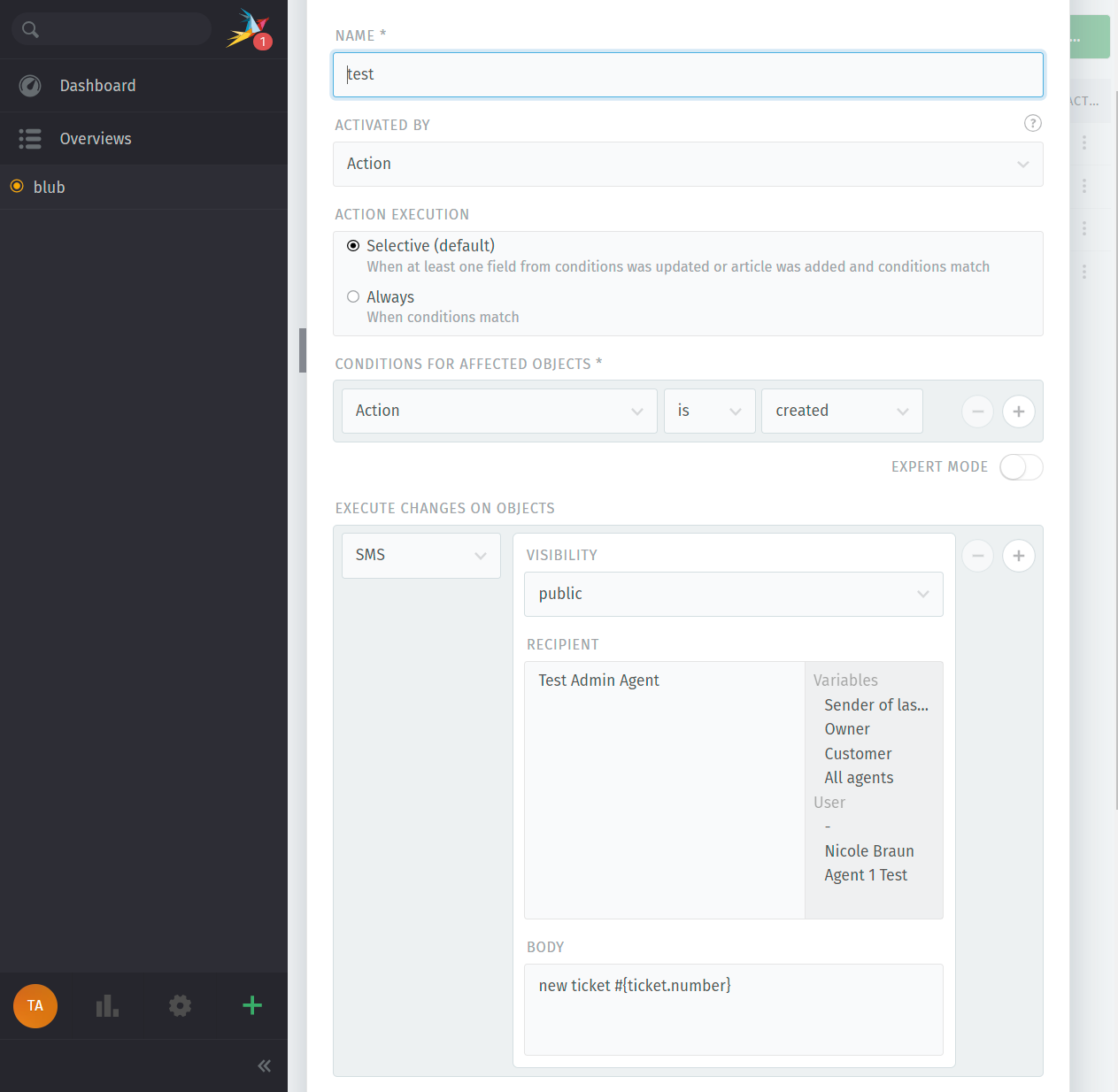
1. Now we need to fill the Mobile phone number of our admin and add this trigger for ticket create:
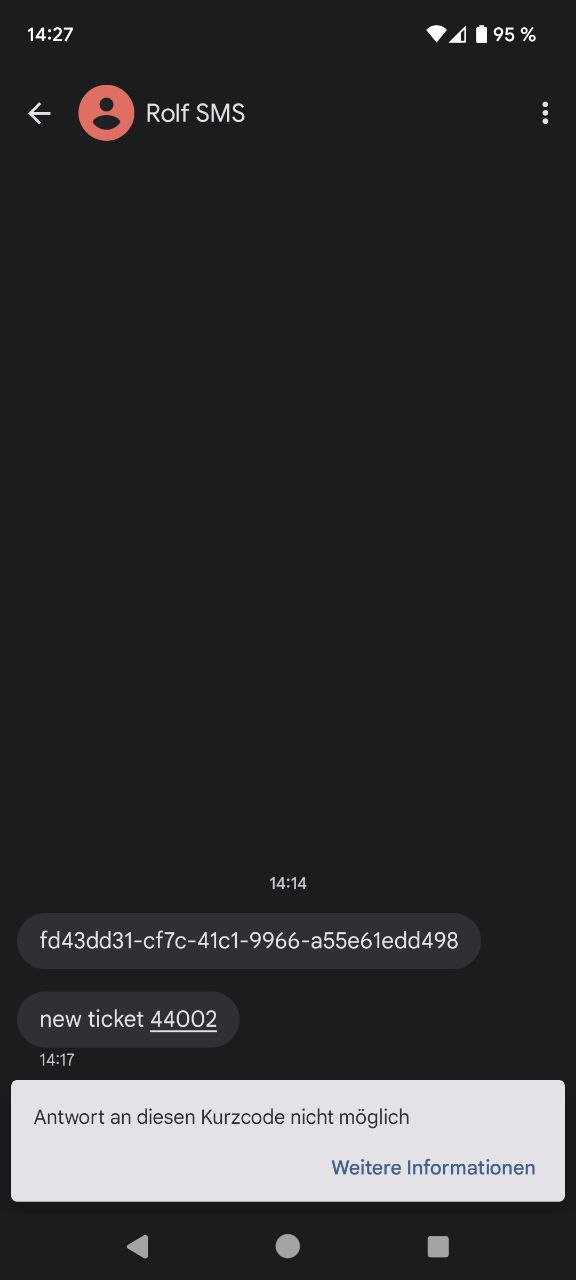
1. It’s SMS time! Let’s create a ticket and watch our phone:
### Full repository
If you want to check out the full code, check my repository:
> **[GitHub - rolfschmidt/Rolfs-Telnyx: Zammad Package to add SMS notification support for...](https://github.com/rolfschmidt/Rolfs-Telnyx)**
>
> Zammad Package to add SMS notification support for the Telnyx provider.
---
_[View the full topic](https://community.zammad.org/t/packages-tutorial/12079)._