# No emails sent. How to test and send emails from command-line?
**URL:** https://community.zammad.org/t/no-emails-sent-how-to-test-and-send-emails-from-command-line/514
**Category:** Technical assistance
**Created:** [April 6, 2018, 2:54pm UTC](https://community.zammad.org/t/no-emails-sent-how-to-test-and-send-emails-from-command-line/514 "2018-04-06T14:54:39Z")
**Posts on this page:** 4
**Page:** 1
### Author:  [@passboltUser1](https://community.zammad.org/u/passboltUser1)
#### Post date: [April 6, 2018, 2:54pm UTC](https://community.zammad.org/t/no-emails-sent-how-to-test-and-send-emails-from-command-line/514/1 "2018-04-06T14:54:39Z")
Hello,
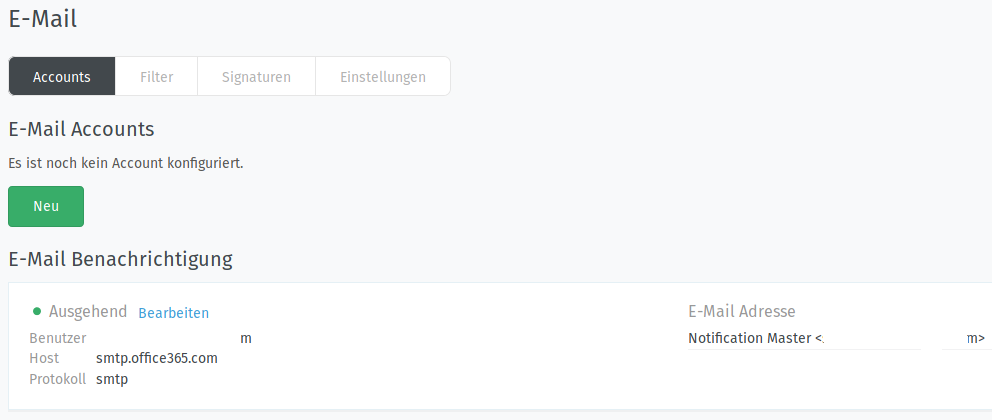
I have configured the email settings under `/#channels/email` and added an email which should send emails when a new ticket has been created, but unfortunately no emails are being sent. How can I test and send emails using commandline?
- Used Zammad version: `Installed: 2.4.0-1522901785.dea0f287.xenial`
- Used Zammad installation source: (source, package, …)
`500 https://dl.packager.io/srv/deb/zammad/zammad/stable/ubuntu 16.04/main amd64 Packages`
- Operating system: ubuntu 16.04.4
- Browser + version: FF59
### Expected behavior:
- Zammad sends an email when a new ticket is created.
### Actual behavior:
- No email is sent.
Error message:
```auto
StatusCode: 500
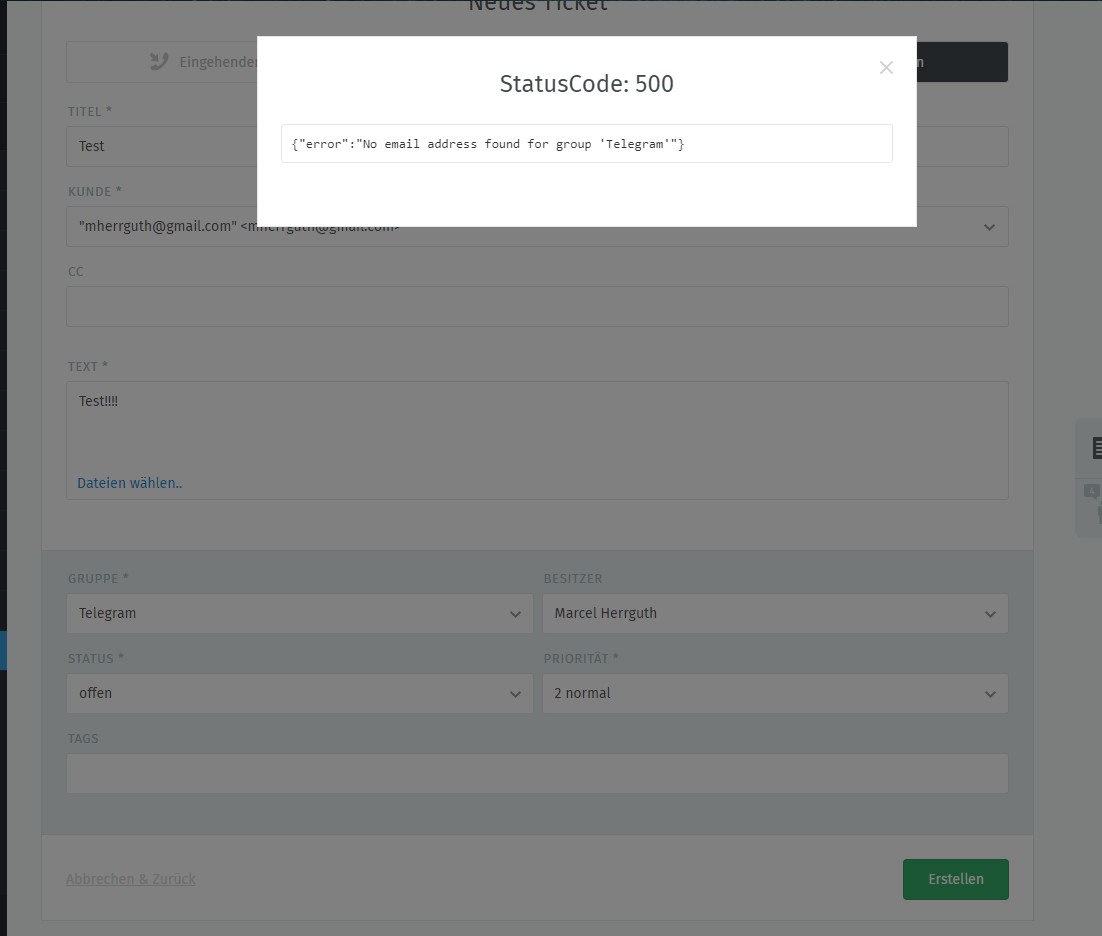
{"error":"No email address found for group '...'"}
```
### Steps to reproduce the behavior:
- Create a ticket.
---
### Author:  [@MrGeneration](https://community.zammad.org/u/MrGeneration)
#### Post date: [April 6, 2018, 4:24pm UTC](https://community.zammad.org/t/no-emails-sent-how-to-test-and-send-emails-from-command-line/514/2 "2018-04-06T16:24:02Z")
I think you have to add an E-Mail-Account to the group you want to receice E-Mails with. If I want to create a E-Mail ticket within a group that has no E-Mail-Address/-Account, I am not able to send out an E-Mail.
It will also tell me:
Did you take a look into the ticket history? If zammad says “notification sent to xyz”, then you should get a notification to the account - if not, nothing happened. As I wrote - I am sure that this functions as desired.
---
### Author:  [@passboltUser1](https://community.zammad.org/u/passboltUser1)
#### Post date: [April 10, 2018, 1:50pm UTC](https://community.zammad.org/t/no-emails-sent-how-to-test-and-send-emails-from-command-line/514/3 "2018-04-10T13:50:04Z")
Thanks, works now.
I did: Clicked on “Neu” (the green button in the first screenshot) and configured it. Then under `/#manage/groups` the just added email account was auto-selected.
---
### Author:  [@system](https://community.zammad.org/u/system)
#### Post date: [June 9, 2018, 1:50pm UTC](https://community.zammad.org/t/no-emails-sent-how-to-test-and-send-emails-from-command-line/514/4 "2018-06-09T13:50:10Z")
This topic was automatically closed 60 days after the last reply. New replies are no longer allowed.