# LDAP configuration is not saving
**URL:** https://community.zammad.org/t/ldap-configuration-is-not-saving/8916
**Category:** Technical assistance
**Created:** [March 21, 2022, 2:43pm UTC](https://community.zammad.org/t/ldap-configuration-is-not-saving/8916 "2022-03-21T14:43:37Z")
**Posts on this page:** 4
**Page:** 1
### Author:  [@mvasile](https://community.zammad.org/u/mvasile)
#### Post date: [March 21, 2022, 2:43pm UTC](https://community.zammad.org/t/ldap-configuration-is-not-saving/8916/1 "2022-03-21T14:43:37Z")
### Info:
- Used Zammad version: 5.0.3
- Installation method (source, package, ..): Package install
- Operating system: Ubuntu 20.04.3 Server
- Database + version: MariaDB 10.5.15 (latest 10.5)
- Elasticsearch version: 7.17.0
- Browser + version: Chrome 99.0.4844.82
### Expected behavior:
Enable the LDAP integration and connect to our LDAP server. Sync with LDAP to populate users into the database.
### Actual behavior:
I am able to authenticate against LDAP and Zammad is able to analyze the LDAP structure. However, after analyzing the structure, the LDAP configuration does not appear to save.
Right after the LDAP configuration analyzed by Zammad, I can see the LDAP configuration below the sync menu. However, when I attempt to sync, I receive this error:
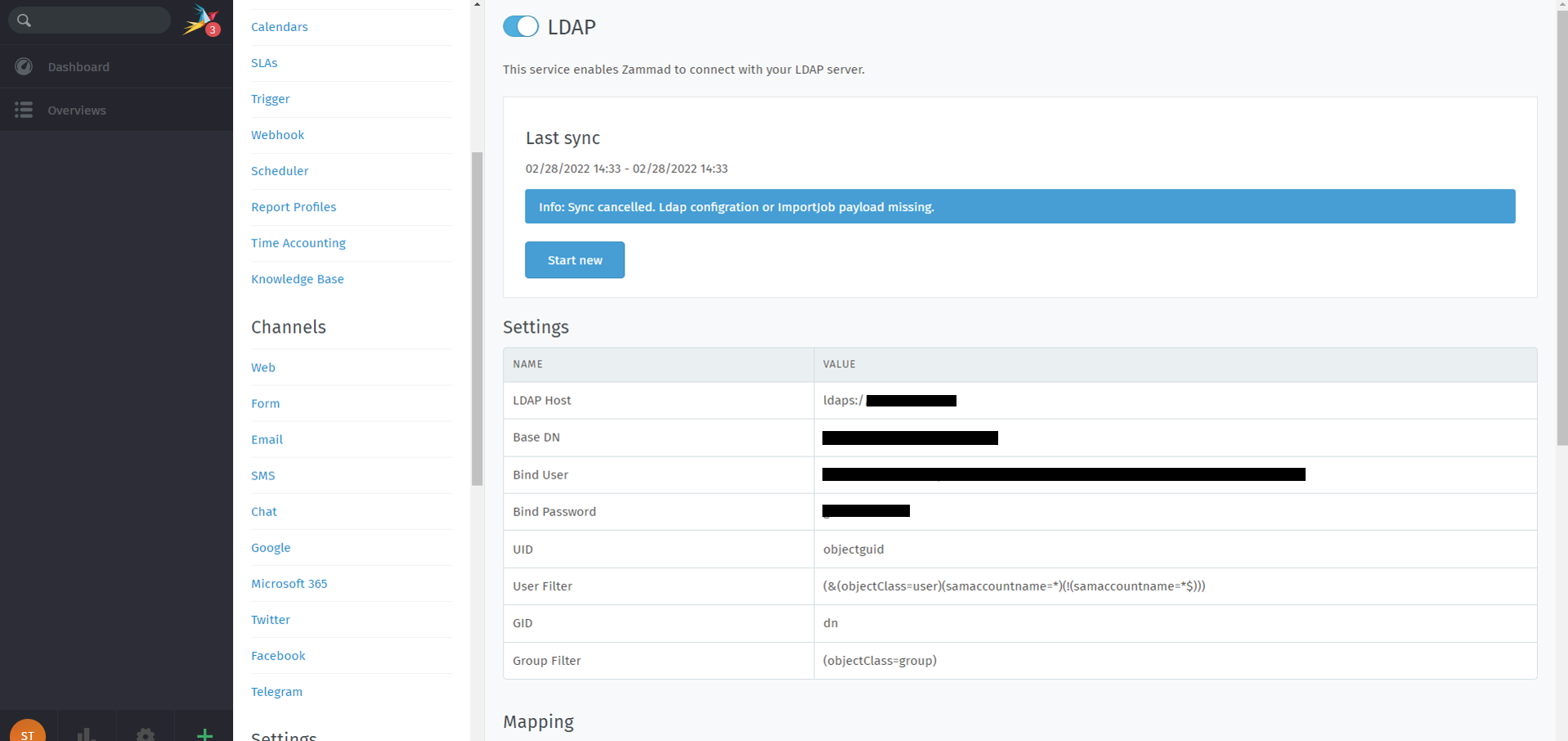
When the page is refreshed, the LDAP configuration disappears from the page.
### Steps to reproduce the behavior:
1. Install and configure Zammad, per install documentation.
2. Attempt to enable LDAP and enter configuration
**Note: I have not attempted upgrading to 5.1 yet.**
---
### Author:  [@awild](https://community.zammad.org/u/awild)
#### Post date: [April 2, 2022, 7:00am UTC](https://community.zammad.org/t/ldap-configuration-is-not-saving/8916/2 "2022-04-02T07:00:30Z")
I have a similar problem. Changes in LDAP are not applied.
---
### Author:  [@MrGeneration](https://community.zammad.org/u/MrGeneration)
#### Post date: [May 31, 2022, 4:47pm UTC](https://community.zammad.org/t/ldap-configuration-is-not-saving/8916/3 "2022-05-31T16:47:18Z")
Upgrade to Zammad 5.1 and try again.
There has been improvements for fairly big LDAP environments.
---
### Author:  [@system](https://community.zammad.org/u/system)
#### Post date: [September 28, 2022, 4:47pm UTC](https://community.zammad.org/t/ldap-configuration-is-not-saving/8916/4 "2022-09-28T16:47:37Z")
This topic was automatically closed 120 days after the last reply. New replies are no longer allowed.